Many SaaS founders know they need a financial model.
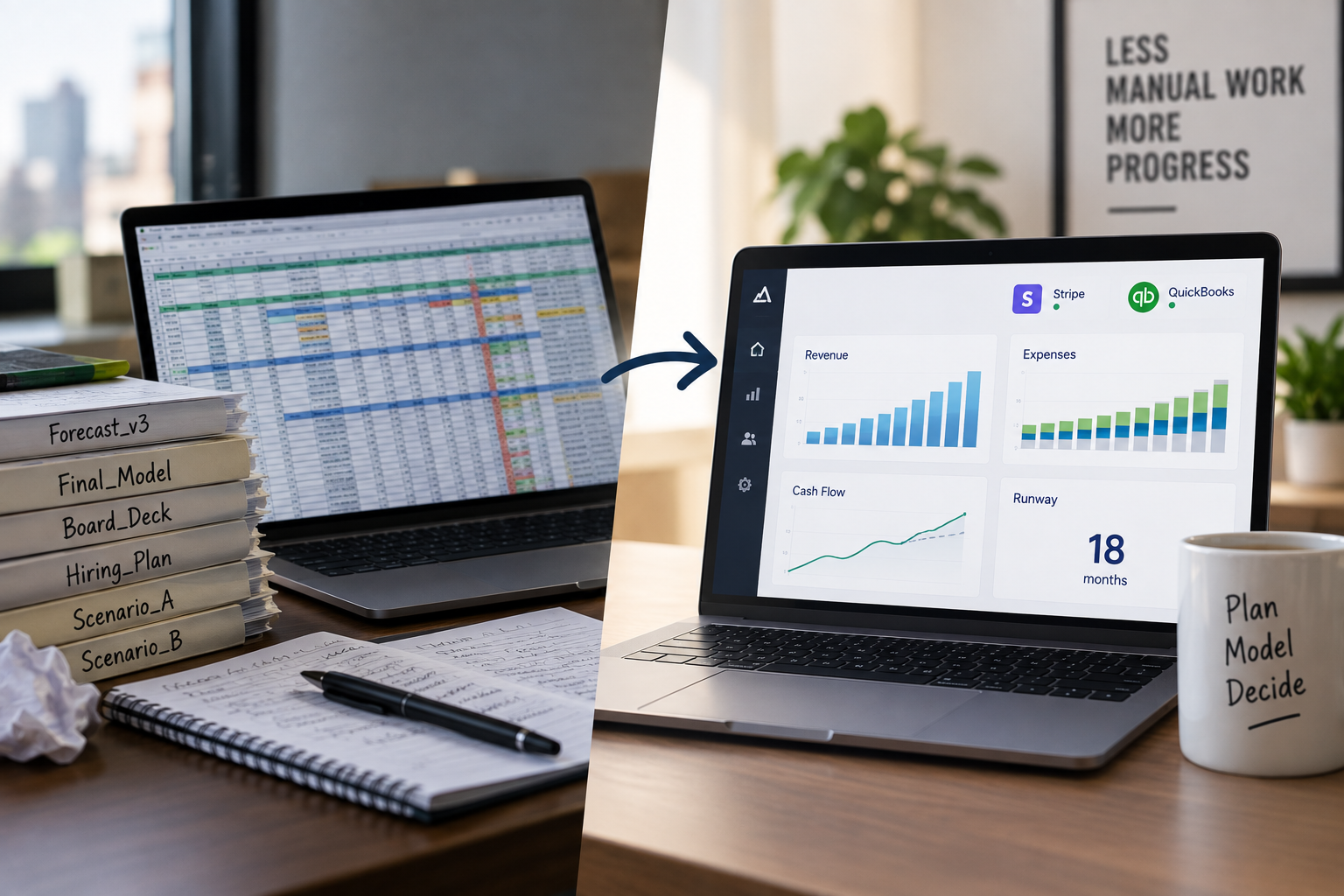
The problem is that traditional financial modeling often means building and maintaining a complex spreadsheet.
That usually involves:
- Importing accounting data
- Updating subscription assumptions
- Maintaining formulas
- Linking financial statements
- Creating multiple scenarios
- Tracking hiring
- Updating actual results
- Fixing broken references
- Rebuilding the model as the business changes
For a finance team, that may be manageable.
For a founder, it can become a significant ongoing burden.
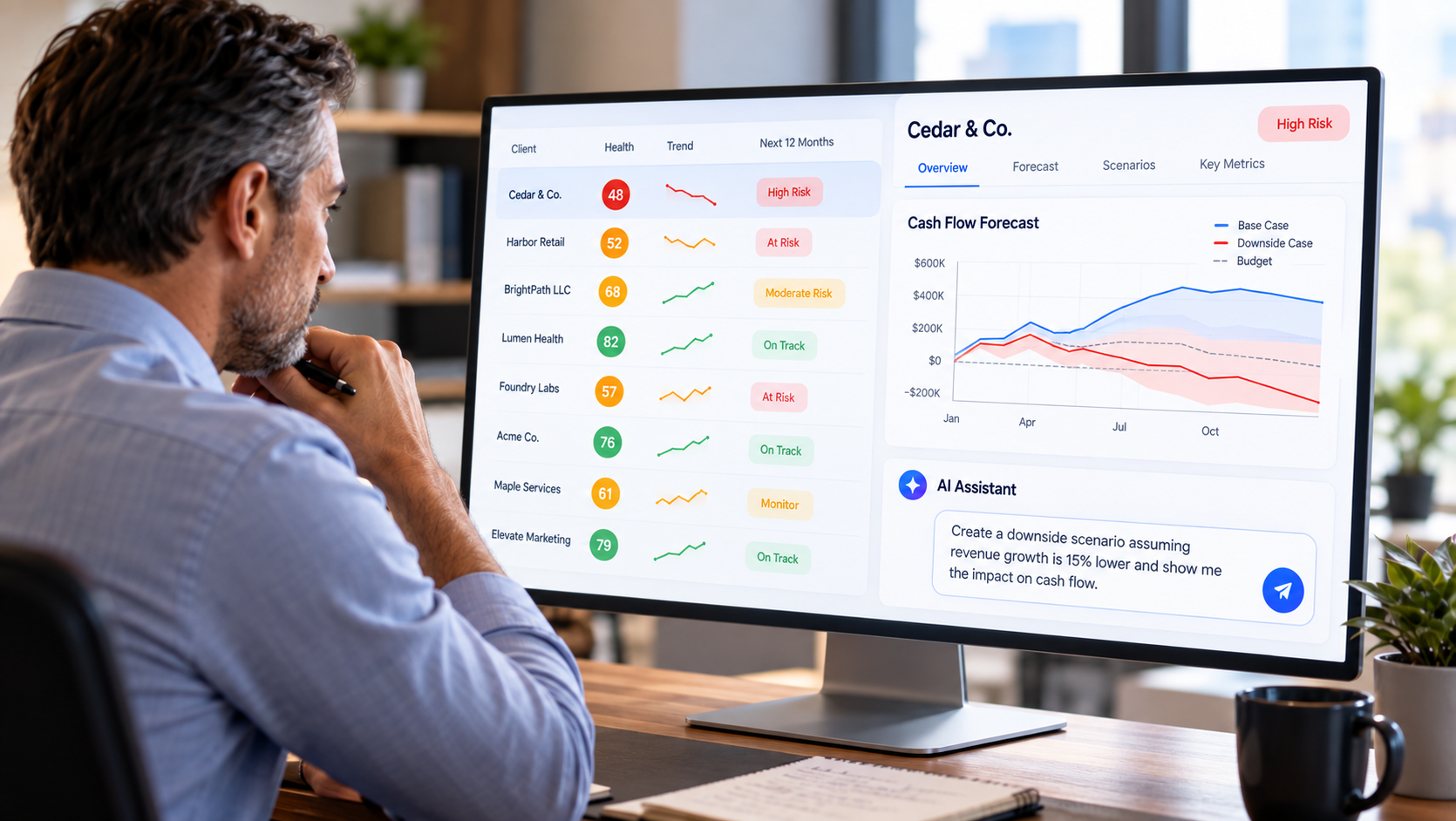
A practical alternative is to use financial planning software that automatically imports actual data, establishes a baseline forecast, and lets the founder model changes to growth, churn, pricing, hiring, spending, and financing without building the financial model from scratch.
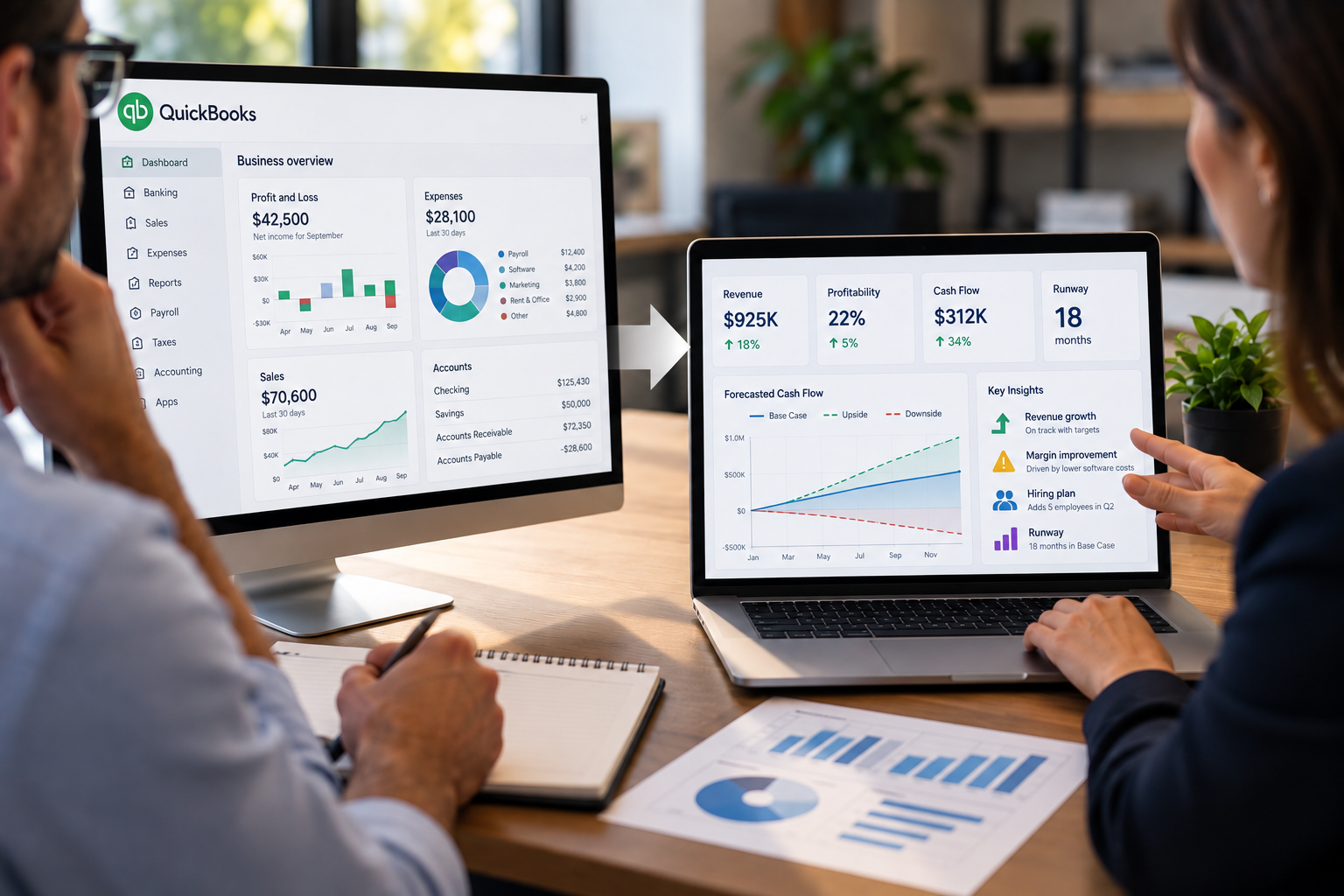
RunSmart by Projection Genie is designed around that approach by combining QuickBooks Online financial data with Stripe subscription data to automate the foundation of SaaS financial modeling.
What Is SaaS Financial Modeling?
SaaS financial modeling is the process of estimating how operating assumptions could affect the future financial performance of a SaaS company.
A financial model may include assumptions about:
- Subscriber growth
- Churn
- Expansion revenue
- Contraction
- Pricing
- Hiring
- Compensation
- Marketing spending
- Software expenses
- Financing
- Debt
- Other operating costs
Those assumptions are then translated into future financial outcomes such as:
- MRR
- ARR
- Revenue
- Expenses
- Profitability
- Cash flow
- Cash balances
- Runway
The challenge is not understanding that these variables matter.
The challenge is connecting them together accurately and keeping the model updated.
Why Do SaaS Companies Use Spreadsheets for Financial Modeling?
Spreadsheets are flexible.
A founder or finance professional can build almost any type of financial model in Excel or Google Sheets.
That flexibility makes spreadsheets useful for:
- Custom assumptions
- Scenario analysis
- Financial statements
- Hiring plans
- Fundraising models
- Board reporting
- Ad hoc analysis
But flexibility also means the user is responsible for building and maintaining the entire model.
What Makes SaaS Financial Modeling in Spreadsheets Difficult?
A SaaS model can become complex because the business itself contains many interacting variables.
Subscription revenue may depend on:
- New subscribers
- Churn
- Expansion
- Contraction
- Pricing
- Billing cadence
Expenses may depend on:
- Hiring
- Compensation
- Marketing
- Infrastructure
- Software
- Professional services
- Debt
Cash flow depends on both.
A spreadsheet must connect all of these relationships correctly.
As the model becomes more sophisticated, the maintenance burden usually increases.
What Are the Most Common Problems With Spreadsheet Financial Models?
Common spreadsheet modeling problems include:
- Broken formulas
- Hard-coded assumptions
- Incorrect cell references
- Duplicate files
- Version confusion
- Manual data entry
- Outdated actual results
- Inconsistent scenarios
- Missing formulas
- Copy-and-paste errors
- Difficulty tracing changes
- Time spent maintaining the model instead of using it
These problems are not unique to SaaS.
But SaaS models can be especially complicated because subscription metrics must be connected to financial statements.
Why Is Manual Data Entry a Problem?
Financial models become less useful when they are disconnected from actual business data.
A founder may need to manually transfer data from:
- Stripe
- QuickBooks
- Payroll systems
- CRM tools
- Bank accounts
Each manual update creates another opportunity for:
- Errors
- Delays
- Stale data
- Inconsistent periods
Automated integrations can reduce this burden.
Why Is SaaS Revenue Modeling Harder Than Simple Revenue Growth?
SaaS revenue should generally be modeled through its underlying subscription drivers.
A simplified MRR formula is:
Ending MRR = Beginning MRR + New MRR + Expansion MRR - Contraction MRR - Churned MRR
A model that simply assumes:
Revenue grows 10% per month
may ignore the underlying mechanics causing that growth.
A better SaaS model can reflect:
- New customer acquisition
- Customer churn
- Revenue churn
- Upgrades
- Downgrades
- Pricing changes
That produces a more useful basis for scenario planning.
Why Should SaaS Financial Models Include QuickBooks and Stripe Data?
Stripe and QuickBooks provide different parts of the financial picture.
Stripe can provide data about:
- Subscribers
- MRR
- Churn
- Expansion
- Contraction
- Pricing
QuickBooks can provide data about:
- Revenue
- Payroll
- Operating expenses
- Cash flow
- Cash balances
- Assets
- Liabilities
- Debt
A complete SaaS financial model should connect the recurring revenue engine with the broader financial statements.
What Is the Practical Alternative to Building a SaaS Model in Excel?
A practical alternative is software that automatically creates the financial baseline from actual business data.
Instead of starting with a blank spreadsheet, the process becomes:
Connect Data → Establish Baseline Forecast → Change Assumptions → Compare Financial Outcomes
The software handles more of the financial model structure.
The founder focuses on the business assumptions.
What Does an Automated SaaS Financial Model Look Like?
An automated SaaS financial model can begin by importing historical financial and subscription data.
The system can then:
- Analyze historical trends
- Establish a baseline forecast
- Forecast revenue and expenses
- Link financial statements
- Incorporate planned hires
- Calculate cash flow
- Forecast cash balances
- Calculate runway
- Support alternative scenarios
The founder can then change specific assumptions without rebuilding the model.
Why Is a Baseline Forecast Important?
A baseline forecast provides a starting point.
Without one, the founder must manually decide what every future number should be.
A baseline based on historical data can estimate what may happen if current patterns continue.
For example:
- Revenue may trend upward
- Payroll may increase steadily
- Marketing may be volatile
- Software expenses may remain relatively stable
- Some expenses may be seasonal
That gives the founder something meaningful to modify.
Should Every Financial Account Use the Same Forecasting Method?
No.
Different accounts can behave differently.
For example:
- Revenue may show trend and seasonality
- Payroll may follow a steady trend
- Marketing may fluctuate
- Rent may remain fixed
- Software expenses may rise gradually
A single forecasting method applied to every account can oversimplify the business.
A more robust system can evaluate different forecasting methods and select the approach best suited to each line item.
What Should SaaS Founders Be Able to Model Without Editing Formulas?
At minimum, founders should be able to model:
- Subscriber growth
- Churn
- Expansion
- Contraction
- Pricing
- Hiring
- Compensation changes
- Operating expenses
- Marketing spending
- Financing
- Loans
These changes should automatically flow through the financial forecast.
How Does Scenario Modeling Replace Spreadsheet Copies?
In spreadsheets, founders often create separate tabs or duplicate files for different scenarios.
For example:
- Base Case.xlsx
- Downside Case.xlsx
- Growth Case.xlsx
- Hiring Case.xlsx
This can quickly become difficult to manage.
Dedicated financial planning software can store multiple scenarios within the same platform.
That makes it easier to compare them using the same underlying data.
What Is the Difference Between a Base Case and a Scenario?
A base case represents the primary financial outlook.
A scenario changes one or more assumptions.
For example:
Base Case
- 4% subscriber growth
- 2% churn
- Current pricing
- Existing hiring plan
Scenario
- 2% subscriber growth
- 4% churn
- Current pricing
- Existing hiring plan
The scenario shows how weaker growth and higher churn could affect the financial outlook.
How Can Software Make Hiring Modeling Easier?
Hiring is difficult to model manually because timing matters.
A new employee may have:
- Salary
- Benefits
- Payroll taxes
- Start date
- End date
- Compensation increases
A software-based workforce planner can incorporate those assumptions directly into the financial forecast.
For example, if a planned employee starts in July, the model can begin recognizing the cost in July rather than assuming a full year of expense.
How Does Financial Modeling Affect Cash Flow?
Every operating decision can eventually affect cash flow.
For example:
- Hiring increases cash outflows
- Lower churn may improve future cash inflows
- Higher pricing may increase cash inflows
- Marketing may increase outflows
- Financing may increase available cash
A financial model should connect these effects.
A simplified formula is:
Net Cash Flow = Cash Inflows - Cash Outflows
Why Should SaaS Models Include Runway?
Runway helps founders understand how long available cash could support the business.
A simplified formula is:
Runway = Available Cash ÷ Monthly Net Cash Burn
But a static runway calculation is limited.
A useful model should forecast cash month by month because:
- Revenue changes
- Expenses change
- Hiring changes
- Churn changes
- Financing may occur
Dynamic forecasting provides a more realistic view of runway.
How Can SaaS Founders Model Churn Without Rebuilding the Model?
In a dedicated planning platform, churn can be treated as an assumption.
For example, a founder could compare:
- 2% churn
- 3% churn
- 5% churn
The system can then recalculate:
- Subscriber count
- MRR
- Revenue
- Cash flow
- Runway
The founder does not need to rewrite formulas each time.
How Can SaaS Founders Model Pricing Changes?
Pricing can also be modeled as an assumption.
A founder might compare:
- Current pricing
- 10% price increase
- 10% price increase with higher churn
- New pricing for new customers only
The model can show the downstream financial effects.
How Can SaaS Founders Model Hiring and Growth Together?
This is one of the biggest advantages of integrated planning.
A founder can model:
- Faster subscriber growth
- Additional hiring
- Higher marketing spending
at the same time.
The model can then show whether the growth is enough to support the additional cost.
Can You Model SaaS Financials Without a CFO?
Yes, depending on the company's complexity.
Software can automate many tasks that previously required significant financial modeling expertise, including:
- Data integration
- Baseline forecasting
- Scenario calculations
- Financial statement projections
- Cash flow forecasting
- Runway analysis
A CFO still provides strategic judgment and financial leadership.
The software reduces the amount of manual modeling required.
When Does Spreadsheet Modeling Still Make Sense?
Spreadsheets can still be useful when:
- The model is simple
- The company has strong finance expertise
- The analysis is highly customized
- The model is temporary
- There are unusual calculations not supported by software
The question is not whether spreadsheets are good or bad.
The question is whether maintaining the model is the best use of the founder's time.
Spreadsheet vs. Automated SaaS Financial Modeling
The right choice depends on the company's needs.
But automation becomes more valuable as the business gains:
- More data
- More scenarios
- More employees
- More expenses
- More complexity
How Much Time Does Spreadsheet Maintenance Take?
The amount varies widely.
Typical maintenance tasks can include:
- Updating actuals
- Refreshing assumptions
- Checking formulas
- Reconciling balances
- Adding new employees
- Updating expense lines
- Rebuilding scenarios
- Fixing errors
The larger the model becomes, the more time these tasks can require.
The value of automation is not simply speed.
It is reducing repetitive model maintenance.
Why Is Model Consistency Important?
A model is only useful if the relationships remain consistent.
For example:
- Hiring should increase expenses
- Expenses should affect profit
- Cash flow should affect cash balance
- Debt should affect liabilities
- Revenue changes should flow through the financial statements
When formulas are copied manually, inconsistencies can occur.
A dedicated system standardizes these relationships.
How Does RunSmart Reduce Spreadsheet Dependence?
RunSmart by Projection Genie is designed to automate the foundation of financial modeling.
It connects to QuickBooks Online and Stripe.
QuickBooks provides:
- Historical revenue
- Expenses
- Payroll
- Cash flow
- Cash balances
- Assets
- Liabilities
- Debt
Stripe provides:
- Subscriber data
- MRR
- Churn
- Expansion
- Contraction
- Pricing
RunSmart uses these data to establish a financial baseline.
Founders can then model changes without building the financial statements and formulas manually.
How Does RunSmart Build a Baseline Forecast?
RunSmart analyzes historical financial behavior at the line-item level.
Different forecasting methods can be evaluated for different accounts.
The selected model can depend on characteristics such as:
- Trend
- Seasonality
- Stability
- Volatility
This allows the baseline to reflect the historical behavior of the business rather than applying one simple assumption to every account.
What Can Founders Model in RunSmart?
Founders can model assumptions around:
- Subscriber growth
- Churn
- Expansion
- Contraction
- Pricing
- Hiring
- Spending
- Financing
- Loans
- Other business decisions
Those assumptions update the broader financial outlook.
What Financial Outcomes Can RunSmart Show?
RunSmart can show how scenarios affect:
- Revenue
- Expenses
- Profitability
- Cash flow
- Cash balances
- Financial health
- Runway
- Financial statements
That allows founders to evaluate more than just SaaS metrics.
Why Is This Different From a SaaS Metrics Dashboard?
A metrics dashboard tells you what happened.
For example:
Churn was 3%.
A financial model asks:
What happens if churn becomes 5%?
RunSmart connects that assumption to the financial forecast.
That means the founder can see the potential effect on:
- Revenue
- Profitability
- Cash flow
- Runway
Why Is This Different From a Blank FP&A Tool?
Some planning tools provide the structure but still require the user to build assumptions and models manually.
RunSmart is designed to establish the baseline automatically from actual historical data.
That makes the workflow:
Actual Data → Automated Baseline → Scenario Modeling
rather than:
Blank Model → Manual Assumptions → Manual Formulas → Forecast
What Should Founders Look for in a Spreadsheet Alternative?
A useful alternative should reduce manual work without taking away flexibility.
Key capabilities include:
What Questions Should a Spreadsheet Alternative Help Answer?
A good platform should help founders answer:
- Where could the business be heading?
- What if subscriber growth slows?
- What if churn increases?
- What if churn improves?
- What if we raise prices?
- What if pricing causes more churn?
- What if we hire?
- What if we delay hiring?
- What if marketing spending increases?
- What if we reduce spending?
- How does this affect cash flow?
- How does this affect runway?
The founder should not need to rebuild the model to answer each question.
Does Automated Financial Modeling Eliminate Assumptions?
No.
All forecasts involve assumptions.
Automation does not remove uncertainty.
It reduces the manual work required to turn assumptions into financial outcomes.
The founder still decides what scenarios to test.
Does Automated Modeling Make Forecasts Perfect?
No.
No system can predict the future perfectly.
The value comes from:
- Starting with actual historical data
- Using disciplined forecasting methods
- Testing alternative assumptions
- Updating the model as new actual data becomes available
The goal is not certainty.
The goal is better visibility.
When Should a SaaS Founder Move Beyond Spreadsheets?
There is no fixed point.
But signs include:
- The model takes too long to update
- You maintain multiple versions
- You constantly fix formulas
- Actual data is stale
- Scenario analysis is difficult
- Hiring plans are hard to model
- Subscription metrics are disconnected from financial statements
- You avoid updating the model because it is too much work
At that point, dedicated software may provide more value.
Can Founders Still Use Spreadsheets Alongside Forecasting Software?
Yes.
Spreadsheets can remain useful for:
- One-off analysis
- Specialized calculations
- Investor models
- Custom reporting
Using forecasting software does not require abandoning spreadsheets completely.
It simply means spreadsheets no longer have to carry the entire financial planning process.
Frequently Asked Questions
Can SaaS financial modeling be done without spreadsheets?
Yes. Dedicated financial planning software can import actual data, establish baseline forecasts, support scenarios, and calculate financial outcomes without requiring founders to build the model manually.
Why do SaaS founders use spreadsheets?
Spreadsheets are flexible and widely available. They can support almost any financial model, but the user must maintain formulas, assumptions, data, and scenarios.
What is the main disadvantage of spreadsheet financial modeling?
The primary disadvantage is maintenance. As the model becomes more complex, updates, formulas, scenarios, and data reconciliation can become time-consuming and error-prone.
Can Stripe data be used for financial modeling?
Yes. Stripe data can support assumptions around subscribers, MRR, churn, expansion, contraction, and pricing.
Can QuickBooks data be used for financial modeling?
Yes. QuickBooks provides revenue, expenses, payroll, cash flow, cash balances, assets, liabilities, and debt.
Why combine Stripe and QuickBooks?
Stripe provides subscription behavior while QuickBooks provides the broader financial picture. Combining them connects SaaS operating metrics to financial outcomes.
Can financial modeling software automatically forecast expenses?
Yes, depending on the platform. Historical expense behavior can be analyzed to establish a baseline forecast.
Can software model SaaS churn?
Yes. Churn assumptions can be incorporated into future subscriber and revenue forecasts.
Can software model hiring?
Yes. Workforce planning can include planned employees, compensation, benefits, and start dates.
Can software model runway?
Yes. A forward-looking cash forecast can be used to estimate how long available cash may last under different scenarios.
Does RunSmart replace spreadsheets?
RunSmart can reduce the need to maintain a full financial model in spreadsheets by automating data connections, baseline forecasting, scenarios, and financial calculations. Spreadsheets can still be used for specialized analysis.
Does RunSmart require founders to build formulas?
No. RunSmart is designed to handle the underlying financial model and calculations so founders can focus on the assumptions they want to test.
Can RunSmart combine Stripe and QuickBooks data?
Yes. RunSmart combines Stripe subscription data with QuickBooks Online financial data to connect recurring revenue drivers with broader financial forecasting and scenario modeling.
SaaS Financial Modeling Does Not Have to Mean Building a Spreadsheet
The financial questions SaaS founders need to answer are complex.
The tools used to answer them do not have to be.
Founders should be able to understand where the business may be heading and model changes to growth, churn, pricing, hiring, spending, and financing without becoming full-time financial modelers.
Spreadsheets remain useful.
But they are no longer the only option.
By combining Stripe subscription data with QuickBooks financial data, software such as RunSmart can automate the foundation of the financial model and let founders focus on the decisions they are actually trying to evaluate.
The result is a simpler workflow:
Connect your data. Establish the baseline. Model what could change. Understand the financial impact before committing.