- Turn Revenue Forecasts into Strategy — Your ChartMogul scenarios become the foundation for real business planning, not just MRR projections.
- See the Ripple Effect — Understand how shifts in revenue flow through to profits, expenses, cash flow, and overall financial health.
- Plan with Confidence — Know the impact of different growth paths on hiring capacity, runway, and sustainability — before making big decisions.
- Stay Grounded in Reality — Because RunSmart ties scenarios back to your actual QuickBooks data, every forecast stays practical and reliable.





Extend ChartMogul's Scenario Forecasts In RunSmart for a Complete Financial Picture
From What-If Revenue Scenarios to SaaS Business Impact

Pairing ChartMogul with RunSmart gives SaaS founders a complete, future-focused view of their business. If you already use ChartMogul, you can bring your revenue forecast into RunSmart instead of using our native Stripe integration available on the Pro plan.
Your revenue scenarios shouldn’t exist in a vacuum. In RunSmart, they become the foundation for a complete financial model that shows how each “what if” scenario affects profitability, cash runway, hiring capacity, and long-term sustainability.
No complex spreadsheets. No manual number-crunching. Just clarity on how today’s decisions may shape tomorrow’s outcomes.
01.
Revenue Scenarios Alone Aren’t Enough
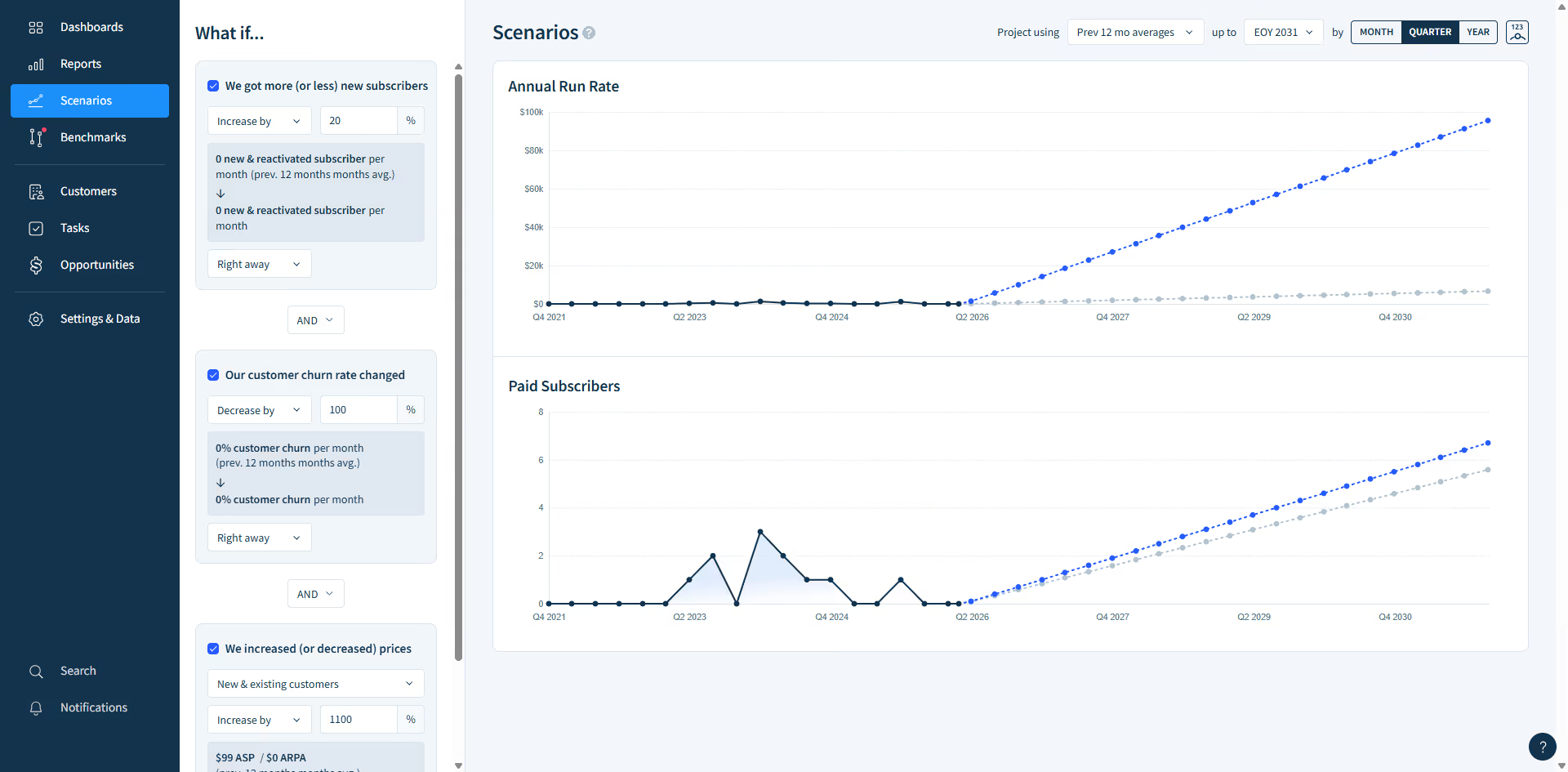
ChartMogul lets you create multiple revenue scenarios — testing different growth, churn, and pricing assumptions. But until now, those scenarios stopped at revenue. With RunSmart, you can take those same revenue projections and instantly see how they affect your full 3-statement financial forecasts — from cash flow and profitability to hiring budgets and loan capacity.
02.
From Hypotheticals to Real World Impact
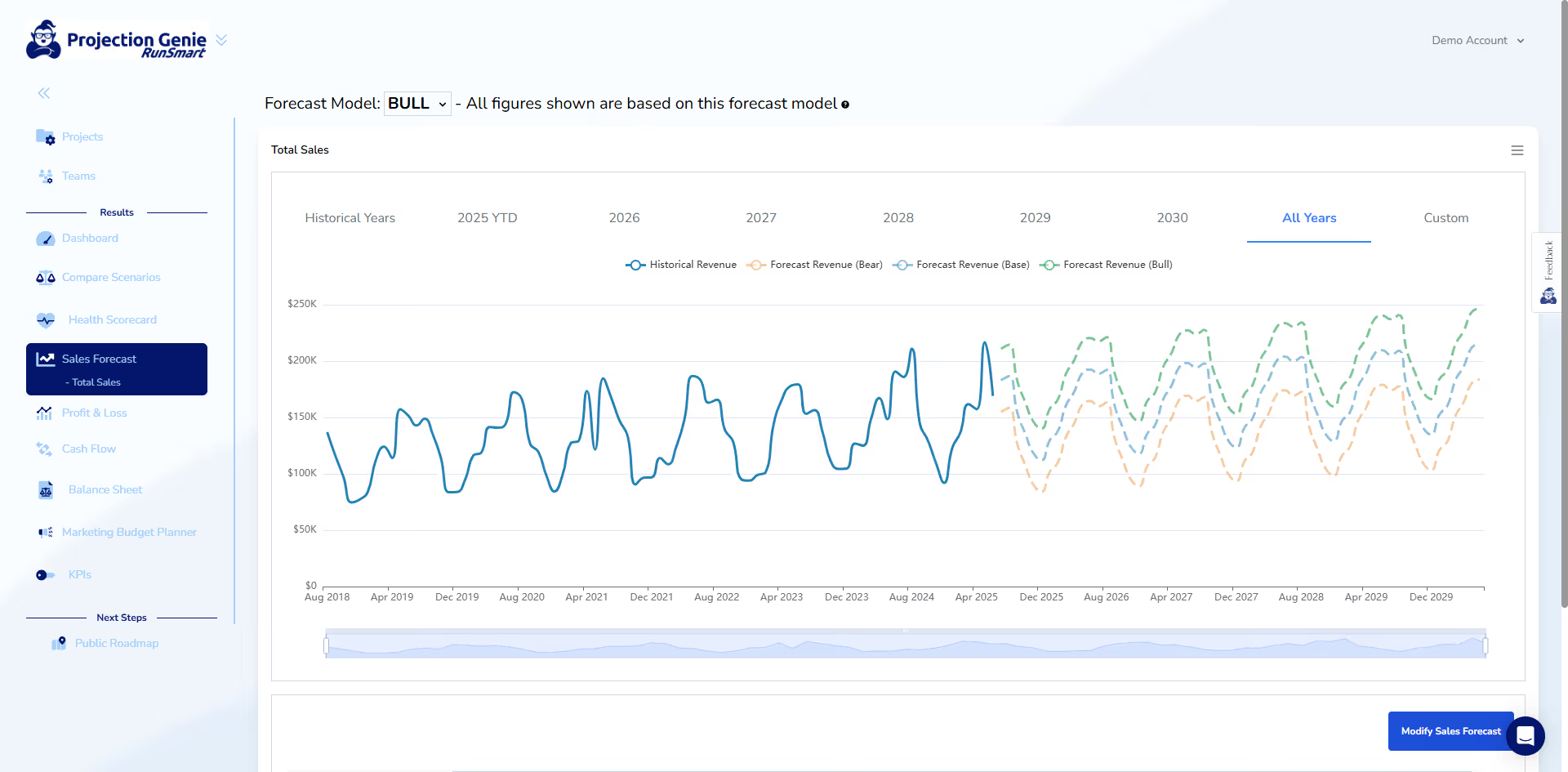
Raise your plan price by 10% and instantly see how it shifts profit margins, extends cash flow runway, and expands hiring capacity.
03.
Understand the Health of Your SaaS Business

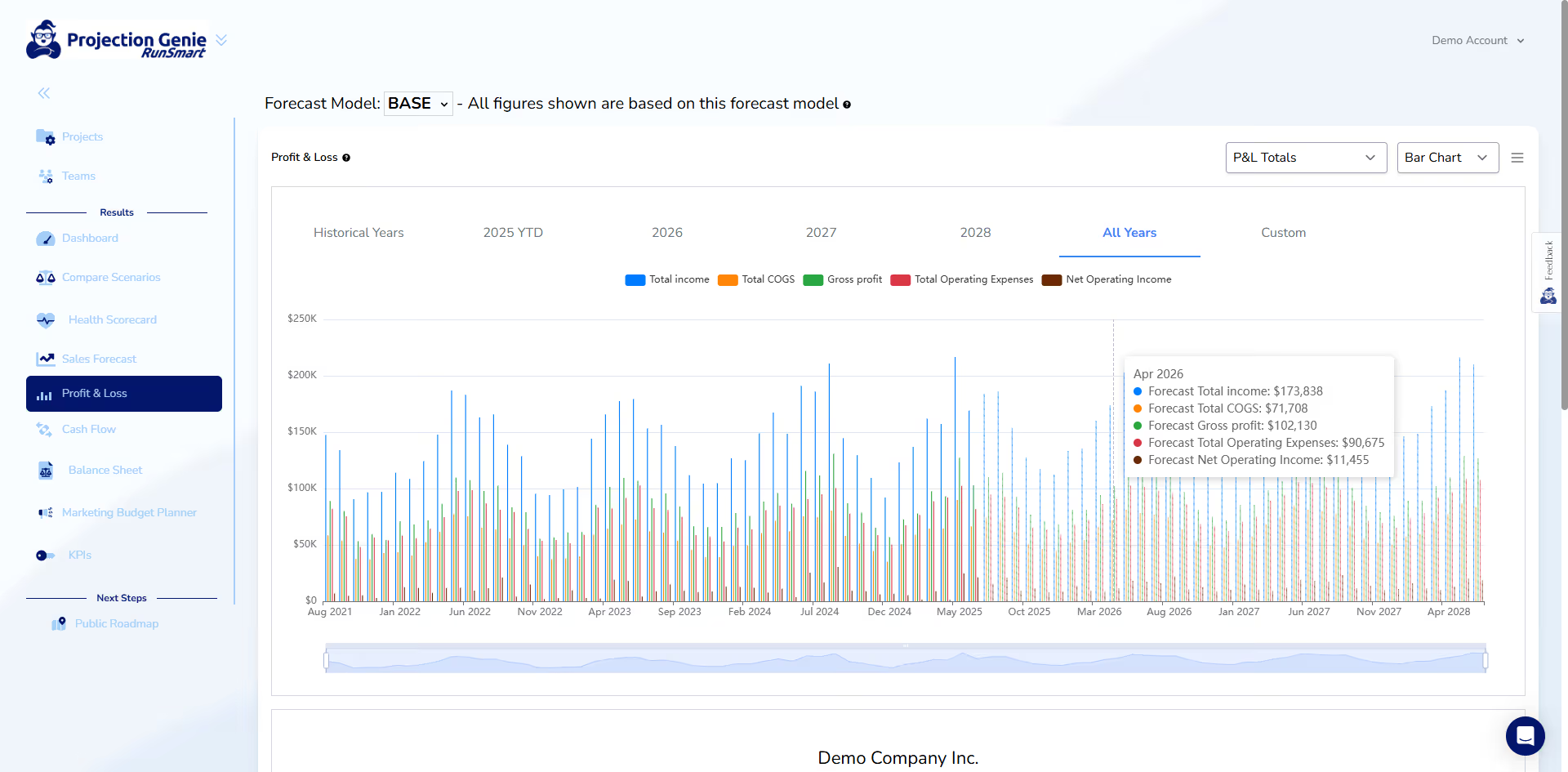
RunSmart measures your company across 13 KPIs spanning profitability, liquidity, solvency, and more — giving you a clear picture of your financial health today. And with scenarios from ChartMogul, you can forecast what that health will look like up to 5 years into the future, so you’re always prepared for what’s ahead.
04.
From Scenario to Budget
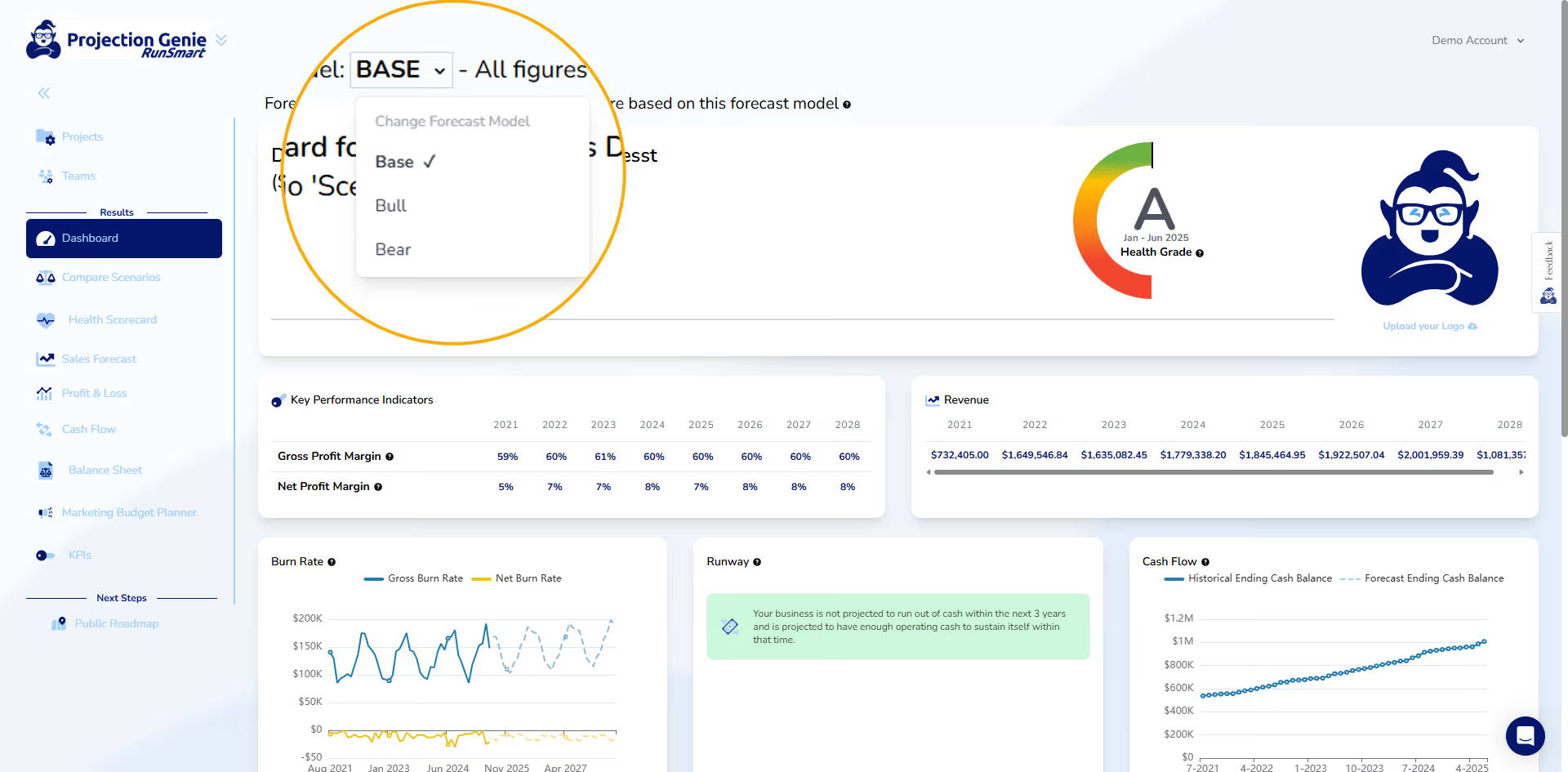
Take a revenue scenario from ChartMogul, expand it into a full 3-statement financial plan in RunSmart, and lock it in as your budget. Then track and monitor progress against it monthly over time — so you always know how close you are to plan.
05.
Sensitivity to Key Assumptions
RunSmart brings all your data together — revenue, expenses, cash flow, and forecasts — and turns it into clear, interactive charts. See the big picture at a glance, follow trends over time, and understand the story behind your numbers instantly.
RunSmart FAQs
Answers to common questions about how RunSmart works and what you can expect.
How do you compare against other financial planning & analysis (FP&A) software?
Many FP&A platforms are built for dedicated finance teams and require significant setup, configuration, and ongoing financial modeling. RunSmart is designed to give business owners powerful financial intelligence and planning capabilities without the complexity of traditional FP&A software.
Simply connect your QuickBooks account and RunSmart automatically analyzes your financial performance, generates forecasts and insights, monitors your financial health, tracks budgets, and produces professional reports without requiring you to build or maintain complicated financial models.
Do I need a strong background in finance or accounting to understand RunSmart's results?
No. RunSmart is designed to make complex financial information easier to understand, even if you don't have a background in finance or accounting.
Plain-language insights, helpful tooltips, and an extensive library of help articles explain financial concepts and results throughout the platform. RunSmart also includes an AI-powered chatbot that can answer questions and explain unfamiliar financial concepts in simple terms whenever you need additional help.
What makes RunSmart’s forecasts more reliable than other tools?
RunSmart's forecasts are built from your historical QuickBooks data using advanced statistical forecasting techniques widely used by Fortune 500 organizations. Instead of relying on simple growth assumptions or fixed percentage increases, RunSmart automatically selects and applies statistical forecasting models tailored to your business's historical data to produce more reliable financial forecasts.
By continuously analyzing historical business performance, RunSmart generates rolling financial forecasts that help you evaluate hiring, pricing, borrowing, spending, expansion, and other important business decisions with greater confidence.
Can businesses with less than 2 years of history use RunSmart?
Standard and Premium plan users can begin using RunSmart with less than 24 consecutive months of QuickBooks history. While financial forecasting will not be available until 24 months of historical data are available, you can still analyze your historical financial performance, monitor your business's financial health, review key financial metrics, compare your performance against industry benchmarks, and generate professional reports.
Once your business reaches 24 consecutive months of historical QuickBooks data, financial forecasting is automatically enabled. This allows RunSmart's statistical forecasting models to identify longer-term trends and seasonal patterns, helping produce more reliable forecasts.
Pro plan users require at least 24 consecutive months of historical QuickBooks data before using RunSmart. The Pro plan is designed for businesses that need advanced forecasting, scenario planning, budgeting, workforce planning, automated reporting, and other forward-looking financial planning capabilities, all of which depend on sufficient historical data to produce reliable results.
Does RunSmart support consolidations or class tracking for budgeting?
No. RunSmart is intentionally designed for single-entity businesses and does not support consolidating multiple companies or budgeting by class.
RunSmart focuses on helping firms analyze each client independently so trends, risks, and performance changes are easier to detect, explain, and address.
Does RunSmart work without QuickBooks Online?
At this time, RunSmart only supports QuickBooks Online.
Real business owners.
Real clarity.

"What impressed me most is how easy it is. I don't have to build complex models again."
Brad Kingsford
CPA
"I can scan my entire client base and quickly spot where margins are projected to tighten without digging into each set of financials."
Ashley Chen
CPA
"I’m not building models or digging through reports anymore—it’s already laid out for me."
Brian O’Connor
CFO
"I don’t have to rebuild models just to answer basic ‘what happens if this changes’ questions."
Samantha Lee
Bookkeeper
"I save a ton of time on monthly reviews now. Most of the work is already done when I log in."
Daniel Brooks
Accounting Firm Owner
"It’s straightforward and easy to use. I didn’t have to spend time figuring things out."
Michael Patel
Small Business Owner
"Portfolio View is probably my favorite part. I can quickly see what’s going on across all my clients."
Misty Callen
Senior Advisor
"The forecasting alone is a game changer. I don't have to build or model anything manually and its so much more reliable then what I've seen from others."
Kassi Ramirez
Fractional CFO


