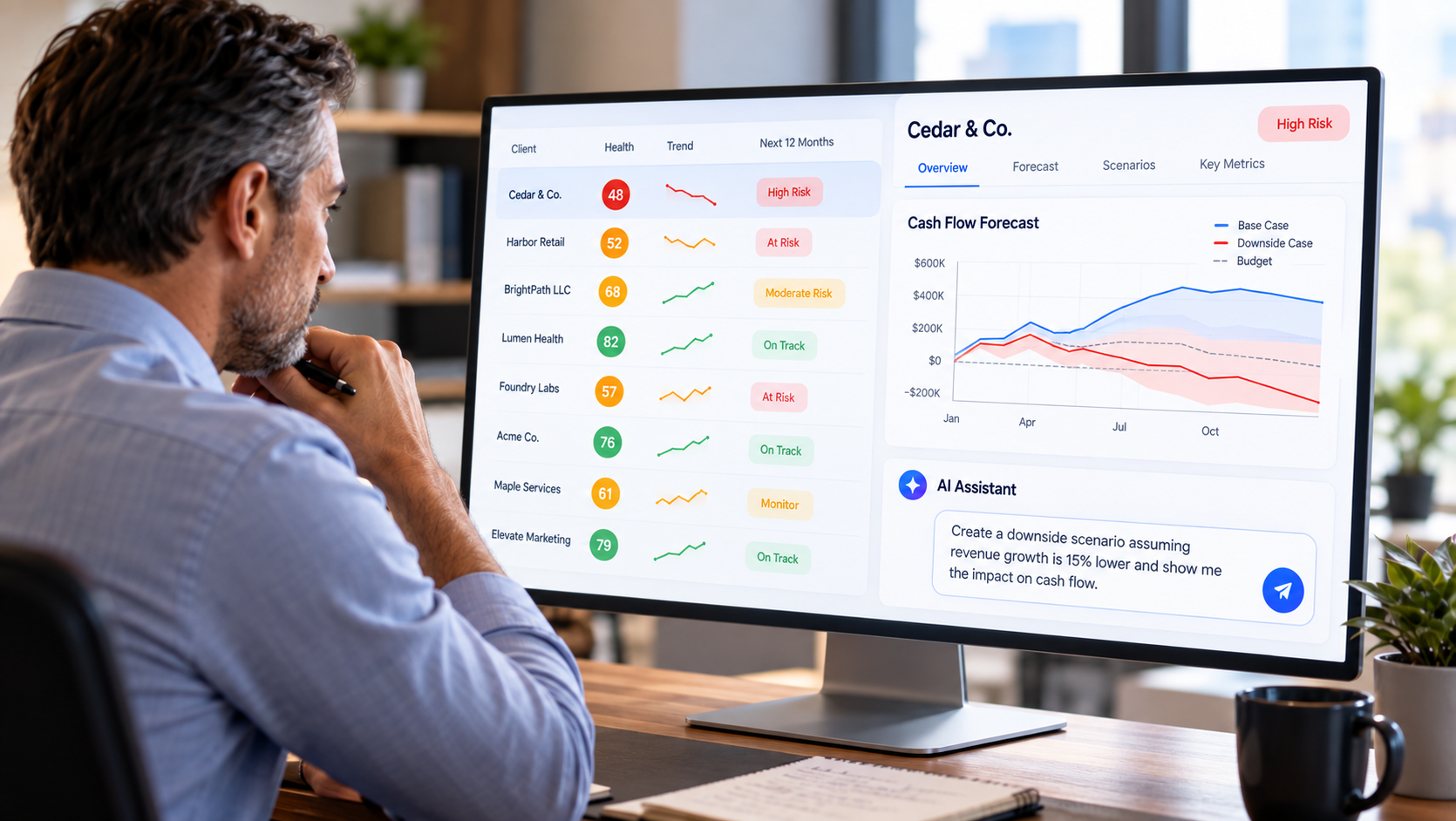
Hiring is one of the largest financial commitments a SaaS company can make.
A new employee may have a $120,000 salary, but the financial impact of hiring that employee extends beyond salary. Payroll taxes, benefits, bonuses, equipment, software, recruiting costs, and other expenses can increase the actual cost of the hire.
More importantly, hiring creates a recurring financial commitment that can affect profitability, cash flow, and runway for months or years.
That is why SaaS founders should model hiring decisions before making them.
By combining historical financial data from QuickBooks with recurring revenue and subscription data from Stripe, SaaS founders can evaluate whether projected growth could support additional headcount and how different hiring plans could affect the company's financial future.
RunSmart by Projection Genie brings these data together so founders can model potential hires alongside subscriber growth, churn, pricing, spending, financing, and other assumptions before committing to them.
What Is SaaS Headcount Planning?
SaaS headcount planning is the process of estimating future workforce needs and modeling the financial impact of adding, removing, or changing employees over time.
A headcount plan can include:
- Existing employees
- Planned hires
- Salaries
- Hourly wages
- Benefits
- Compensation increases
- Start dates
- End dates
- Departments or expense categories
The resulting workforce forecast can then be incorporated into the company's broader financial forecast.
This helps founders understand not only who they want to hire, but also whether the business could financially support the hiring plan.
Why Should SaaS Founders Model Hiring Before They Hire?
Hiring creates expenses before the financial benefit of the employee may be realized.
A salesperson may take months to ramp.
An engineer may work on a product that generates revenue later.
A customer success employee may help reduce future churn.
A marketing employee may support future customer acquisition.
In each case, the cost begins before the expected benefit is guaranteed.
Modeling the hire allows founders to evaluate the financial consequences before making the commitment.
How Much Does a SaaS Employee Really Cost?
Salary is only one component of employee cost.
A simplified employee cost formula is:
Total Employee Cost = Salary + Payroll Taxes + Benefits + Bonuses + Other Employment Costs
Suppose a SaaS company wants to hire an employee with:
- $120,000 annual salary
- $12,000 annual benefits
- $10,000 payroll taxes and other employment costs
Estimated annual employee cost would be:
$120,000 + $12,000 + $10,000 = $142,000
Estimated monthly cost:
$142,000 ÷ 12 = $11,833
The $120,000 hiring decision could therefore represent approximately $142,000 of annual cost in this simplified example.
Actual costs will vary by company, employee, location, benefits, taxes, and compensation structure.
What Costs Should Be Included in a SaaS Hiring Model?
A useful hiring model should account for the costs that could materially affect the financial forecast.
Not every employee will have every cost.
The objective is to estimate the financial impact realistically rather than assuming salary represents the entire cost of hiring.
How Do You Model the Monthly Cost of a New Hire?
The simplest approach is to determine the expected annual cost and allocate it across the months the employee is expected to work.
For example, assume:
Annual employee cost = $144,000
Monthly employee cost:
$144,000 ÷ 12 = $12,000
If the employee starts July 1, the company would incur approximately six months of expense during that calendar year:
6 × $12,000 = $72,000
A financial forecast should therefore begin recognizing the employee cost when the employee is expected to start rather than spreading a full year's expense across the entire year.
Why Does the Hiring Date Matter?
The timing of a hire can materially change cash flow and runway.
Consider a company planning to hire three employees at an estimated cost of $12,000 per employee per month.
Combined monthly cost:
3 × $12,000 = $36,000
If the employees begin in January, the approximate annual cost is:
$36,000 × 12 = $432,000
If the company delays those hires until July:
$36,000 × 6 = $216,000
The difference during that year is:
$432,000 - $216,000 = $216,000
The company still makes the same hires, but changing the timing preserves approximately $216,000 of cash during that year in this simplified example.
How Does Hiring Affect SaaS Cash Flow?
Hiring increases cash outflows.
If revenue does not increase by an equal or greater amount, cash flow can weaken.
Suppose a SaaS company currently generates:
- $150,000 monthly cash inflows
- $170,000 monthly cash outflows
Monthly cash burn is:
$170,000 - $150,000 = $20,000
The company then adds $30,000 of monthly workforce costs.
New monthly cash outflows:
$170,000 + $30,000 = $200,000
New monthly burn:
$200,000 - $150,000 = $50,000
The hiring plan has increased monthly cash burn from $20,000 to $50,000, assuming everything else remains unchanged.
How Does Hiring Affect SaaS Runway?
Because hiring can increase cash burn, it can shorten runway.
A simplified runway formula is:
Runway = Available Cash ÷ Monthly Net Cash Burn
Suppose a SaaS company has:
$600,000 cash
Before hiring, monthly burn is:
$20,000
Simplified runway:
$600,000 ÷ $20,000 = 30 months
After hiring, monthly burn increases to:
$50,000
Simplified runway:
$600,000 ÷ $50,000 = 12 months
In this simplified example, the hiring decision reduces estimated runway from 30 months to 12 months if no other financial assumptions change.
In practice, runway should be forecast dynamically because revenue, expenses, hiring, churn, financing, and other factors can change over time.
Why Should Hiring Be Modeled Alongside MRR Growth?
SaaS companies often hire because they expect future growth.
The important question is whether expected recurring revenue growth can support the additional workforce expense.
Suppose a company has:
$100,000 MRR
It plans to add $30,000 of monthly workforce costs.
If MRR remains $100,000, the additional expense places greater pressure on profitability and cash flow.
But suppose the company's baseline forecast projects MRR growing toward:
$150,000
The same hiring plan may produce a very different financial outcome.
This is why SaaS headcount planning should be connected to the revenue forecast rather than modeled independently.
How Can Stripe Data Help With SaaS Hiring Decisions?
Stripe subscription data can help founders understand the recurring revenue engine that may ultimately support additional headcount.
Relevant information can include:
- MRR
- ARR
- Subscriber growth
- Customer churn
- Revenue churn
- Expansion
- Contraction
- ARPA
- NRR
Historical subscription behavior can help establish a baseline for where recurring revenue could be heading if current patterns continue.
Founders can then compare projected revenue growth with proposed workforce growth.
How Can QuickBooks Data Help With SaaS Hiring Decisions?
QuickBooks provides the broader financial context needed to understand whether the company can afford additional employees.
Relevant information can include:
- Existing payroll
- Operating expenses
- Revenue
- Profitability
- Cash flow
- Cash balances
- Debt
- Other financial obligations
Stripe may help answer:
How is our recurring revenue engine performing?
QuickBooks helps answer:
What does the rest of our financial position look like?
Combining the two provides a stronger foundation for headcount planning.
How Do You Model SaaS Hiring With Stripe and QuickBooks Together?
The two data sources can be connected through a forward-looking financial model.
A simplified process is:
Historical Stripe + QuickBooks Data → Baseline Forecast → Proposed Hires → Updated Expenses → Profitability → Cash Flow → Runway
For example, the baseline forecast might indicate that recurring revenue is expected to grow while operating expenses remain relatively stable.
A founder could then add several proposed hires and recalculate the financial outlook.
This shows whether the hiring plan could materially change profitability, cash flow, or runway.
What Happens If SaaS Growth Is Slower Than Expected After Hiring?
This is one of the most important reasons to model hiring scenarios.
Suppose a company expects MRR to reach:
$200,000
and builds its hiring plan around that expectation.
But if higher churn or slower subscriber acquisition causes MRR to reach only:
$160,000
the company still has the workforce expenses it committed to.
A hiring plan should therefore be tested against multiple possible revenue outcomes rather than only an optimistic growth forecast.
What Hiring Scenarios Should SaaS Founders Model?
Founders can model different combinations of hiring and business performance.
The purpose is not to predict exactly what will happen.
It is to understand how different combinations of revenue performance and hiring decisions could affect the company's finances.
What Is the Difference Between Headcount and FTE?
Headcount measures the number of employees.
Full-Time Equivalent, or FTE, adjusts the workforce based on the amount of work represented by full-time and part-time employees.
For example:
- One full-time employee = 1.0 FTE
- One half-time employee = approximately 0.5 FTE
- Two half-time employees = approximately 1.0 FTE
A company could therefore have:
10 employees
but only:
8.5 FTEs
depending on the mix of full-time and part-time workers.
FTE can be useful when comparing workforce size with revenue, ARR, or employee costs.
What Is ARR per FTE?
ARR per FTE measures annual recurring revenue relative to the size of the workforce.
The formula is:
ARR per FTE = ARR ÷ Total FTEs
Suppose a SaaS company has:
- $3,000,000 ARR
- 20 FTEs
ARR per FTE is:
$3,000,000 ÷ 20 = $150,000
If the company hires five additional FTEs while ARR remains unchanged:
$3,000,000 ÷ 25 = $120,000
ARR per FTE declines.
That does not automatically mean the hires are a poor decision. The company may be investing ahead of expected growth.
But it shows how workforce growth can change operating efficiency.
What Is Revenue per FTE?
Revenue per FTE measures total company revenue relative to workforce size.
The formula is:
Revenue per FTE = Revenue ÷ Total FTEs
Unlike ARR per FTE, revenue per FTE can include revenue that is not recurring.
Tracking both can provide different perspectives on workforce productivity.
What Other Workforce KPIs Can SaaS Founders Monitor?
Several workforce metrics can help founders evaluate the relationship between employee growth and financial performance.
These metrics become more useful when evaluated over time rather than viewed as isolated numbers.
Why Compare Revenue Growth With Headcount Growth?
Headcount can grow faster than revenue.
When that happens, employee costs may consume a larger percentage of the company's financial resources.
For example:
Revenue growth = 20%
Headcount growth = 40%
This does not automatically indicate a problem because the company may intentionally be investing ahead of growth.
But founders should understand the financial implications.
Conversely:
Revenue growth = 40%
Headcount growth = 15%
could indicate improving workforce efficiency if the company can support the additional business without proportional headcount growth.
How Do You Model Hiring Against Different Subscriber Growth Rates?
The same approach can be used for subscriber growth.
A company might test:
- 2% monthly subscriber growth
- 5% monthly subscriber growth
- 8% monthly subscriber growth
The hiring plan remains the same, but the revenue available to support those employees changes.
This makes hiring part of SaaS scenario planning rather than a standalone workforce decision.
Should SaaS Founders Model Individual Hires or Departments?
Both can be useful.
Individual hiring models are useful for specific planned employees, particularly senior or expensive positions.
Department-level models can be useful when planning larger workforce expansions.
For example:
- Engineering: +4 employees
- Sales: +3 employees
- Customer Success: +2 employees
- Marketing: +1 employee
The financial forecast can incorporate the expected start dates and costs of each planned hire.
How Should Compensation Increases Be Modeled?
Existing employees can become more expensive over time even if headcount does not change.
A workforce forecast should therefore consider expected:
- Salary increases
- Hourly wage increases
- Promotions
- Bonuses
- Benefit changes
Suppose annual payroll is:
$2,000,000
A 5% compensation increase would add approximately:
$2,000,000 × 5% = $100,000
of annual payroll expense before considering other changes.
Why Should Employee Costs Be Assigned to the Correct Expense Categories?
Not every employee necessarily belongs in the same financial statement category.
Depending on the employee's role and the company's accounting practices, compensation may be associated with areas such as:
- Cost of goods sold
- Research and development
- Sales and marketing
- General and administrative expenses
- Other operating expenses
Accurately allocating workforce costs helps founders understand how hiring could affect different areas of the income statement and financial forecast.
How Does Hiring Affect Profitability?
Hiring increases expenses.
Unless the additional workforce produces or supports enough incremental revenue or other financial benefit, operating profit can decline.
Suppose a company forecasts:
$200,000 monthly revenue
and:
$180,000 monthly expenses
Projected operating profit:
$20,000
Adding $30,000 of workforce expense changes the result to:
$200,000 - $210,000 = -$10,000
The company moves from projected profitability to a projected loss.
This does not necessarily mean the hiring decision is wrong.
It means the company should understand the financial tradeoff before making it.
Can Hiring Increase Revenue?
Yes, but the relationship is rarely immediate or guaranteed.
Different roles can potentially influence revenue in different ways.
For example:
- Sales employees may help acquire customers.
- Customer success employees may help improve retention or expansion.
- Engineers may enable new products or features.
- Marketing employees may help generate demand.
A financial model should avoid assuming that every dollar of additional payroll automatically creates a specific amount of revenue unless the company has a reasonable basis for that assumption.
Instead, founders can model different revenue scenarios alongside the hiring plan.
What Happens If You Delay a Hire?
Delaying a hire can preserve cash but may also delay the expected operational benefit.
Suppose an employee costs approximately:
$15,000 per month
Moving the start date from April to July reduces forecast workforce expense by approximately:
3 × $15,000 = $45,000
during that year.
A founder can compare the financial forecast under both hiring dates to see how the delay could affect cash flow and runway.
How Can Hiring Scenarios Help SaaS Founders Make Decisions?
Instead of asking:
Can we afford this employee today?
scenario modeling allows founders to ask:
What could our financial position look like after making this hire?
For example:
The scenarios allow the founder to see the interaction between workforce decisions and SaaS operating assumptions.
How RunSmart Helps SaaS Founders Model Hiring Before They Hire
RunSmart by Projection Genie combines QuickBooks Online financial data with Stripe subscription data to create a forward-looking financial baseline based on the company's historical performance.
Founders can then use RunSmart's Workforce Planner to model changes to the workforce.
Planned employees can include information such as:
- Full-time or part-time status
- Hourly or salaried compensation
- Pay
- Compensation increases
- Benefits
- Start dates
- End dates
- Expense categories
Those workforce assumptions become part of the company's broader financial scenario.
At the same time, founders can model changes to:
- Subscriber growth
- Churn
- Expansion
- Contraction
- Pricing
- Spending
- Financing
- Other business assumptions
RunSmart then recalculates the financial outlook so founders can evaluate how those decisions could affect revenue, expenses, profitability, cash flow, financial health, and runway.
This makes headcount planning part of the financial forecast rather than an isolated spreadsheet.
What Should SaaS Founders Evaluate Before Approving a Hire?
There is no single financial metric that determines whether a company should hire.
Instead, founders can evaluate the decision from several perspectives.
The goal is not to find a universal hiring threshold.
It is to understand the financial consequences of the decision under different possible business outcomes.
Frequently Asked Questions
What is SaaS headcount planning?
SaaS headcount planning estimates future workforce needs and incorporates planned employees, compensation, benefits, timing, and other employment costs into the company's financial plan.
How do you calculate the true cost of a SaaS employee?
A simplified calculation is salary plus payroll taxes, benefits, bonuses, and other employment costs. Actual employee costs vary based on compensation structure, location, benefits, and other factors.
How does hiring affect SaaS runway?
Hiring increases cash outflows. If revenue and other cash inflows do not increase enough to offset those costs, monthly cash burn can rise and runway can shorten.
Should SaaS companies model hiring against MRR?
Yes. Projected MRR can help founders understand whether future recurring revenue may support additional workforce expenses.
Why use Stripe data for headcount planning?
Stripe subscription data provides information about MRR, subscriber growth, churn, expansion, contraction, and other recurring revenue drivers that can help establish the revenue side of a SaaS financial forecast.
Why use QuickBooks data for headcount planning?
QuickBooks provides broader financial information such as existing payroll, operating expenses, profitability, cash flow, cash balances, debt, and other obligations.
What is ARR per FTE?
ARR per FTE measures annual recurring revenue divided by the company's total full-time-equivalent workforce.
What is revenue per FTE?
Revenue per FTE measures total company revenue divided by total FTEs.
Should part-time employees count toward FTE?
Yes. Part-time employees can be converted into fractions of a full-time equivalent based on their workload. For example, two employees each working half of a full-time schedule would represent approximately one FTE.
Should SaaS founders model hiring under multiple scenarios?
Yes. Modeling hiring under different subscriber growth, churn, pricing, and spending assumptions can show whether the hiring plan remains financially sustainable if business performance differs from expectations.
Can delaying a hire extend runway?
Potentially. Delaying a hire postpones the associated cash outflows, which can preserve cash and potentially extend runway if other assumptions remain unchanged.
Can RunSmart model future SaaS hires?
Yes. RunSmart's Workforce Planner allows founders to incorporate planned employees, compensation, benefits, start dates, end dates, and other workforce assumptions into financial scenarios.
Can RunSmart model hiring alongside SaaS churn and subscriber growth?
Yes. RunSmart combines Stripe subscription data and QuickBooks financial data so founders can model workforce changes alongside subscriber growth, churn, expansion, pricing, spending, financing, and other assumptions.
Hiring Should Be Part of the Financial Forecast, Not a Separate Decision
A hiring decision affects more than headcount.
It can change payroll, operating expenses, profitability, cash flow, financial health, and runway.
For SaaS companies, those effects also need to be considered alongside subscriber growth, churn, expansion, pricing, and recurring revenue.
Combining Stripe subscription data with QuickBooks financial data gives founders the context needed to evaluate both sides of the decision.
RunSmart brings those variables together so founders can model the potential financial impact of hiring before making the commitment.