- Turn Pipeline Forecasts into Strategy — Your HubSpot deal projections become the foundation for real business planning, not just sales tracking.
- See the Ripple Effect — Understand how shifts in revenue flow through to profits, expenses, cash flow, and overall financial health.
- Plan with Confidence — Know the impact of different growth paths on hiring capacity, runway, and sustainability — before making big decisions.
- Stay Grounded in Reality — Because RunSmart ties scenarios back to your actual QuickBooks data, every forecast stays practical and reliable.





Turn Your QuickBooks Data Into Predictive Financial Intelligence
From Historical Accounting Data to Forward-Looking Financial Intelligence

QuickBooks helps you understand what's happened in your business. RunSmart helps you understand what's likely to happen next.
By automatically analyzing your QuickBooks financial data, RunSmart transforms historical performance into comprehensive financial forecasts, financial health insights, and early risk signals. See where revenue, expenses, profitability, and cash flow may be headed while understanding how today's business decisions could influence tomorrow's financial outcomes.
No disconnected spreadsheets. No manually building financial models. Just the intelligence you need to understand your numbers, plan ahead, and make better decisions.
01.
Turn Your QuickBooks History Into Financial Forecasts
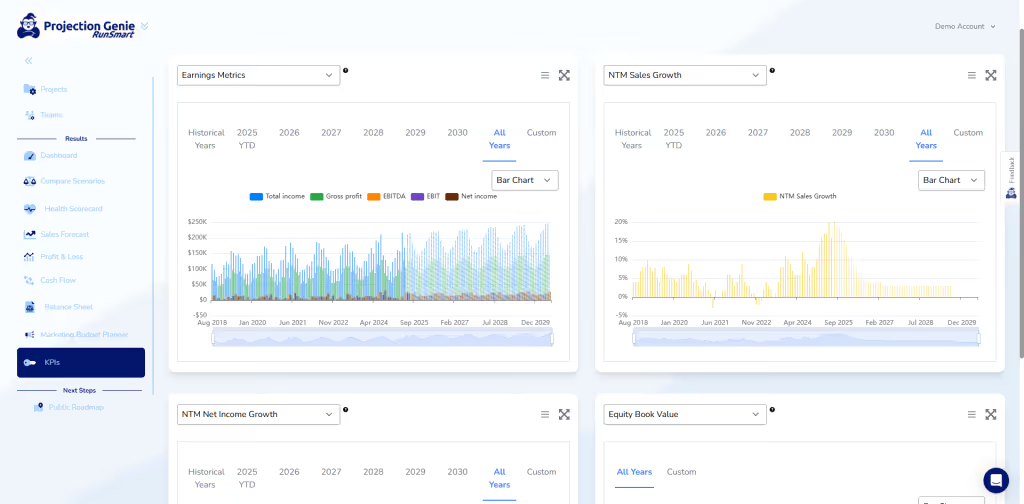
Your QuickBooks data tells the story of where your business has been. RunSmart automatically analyzes that history to help you understand where it's headed. Using statistical forecasting models tailored to your historical financial patterns, RunSmart generates integrated income statement, balance sheet, and cash flow forecasts. Project future revenue, expenses, profitability, and cash flow without manually building spreadsheets, configuring financial models, or relying on simple percentage-growth assumptions.
02.
Understand Your Financial Health and Spot Risks Early
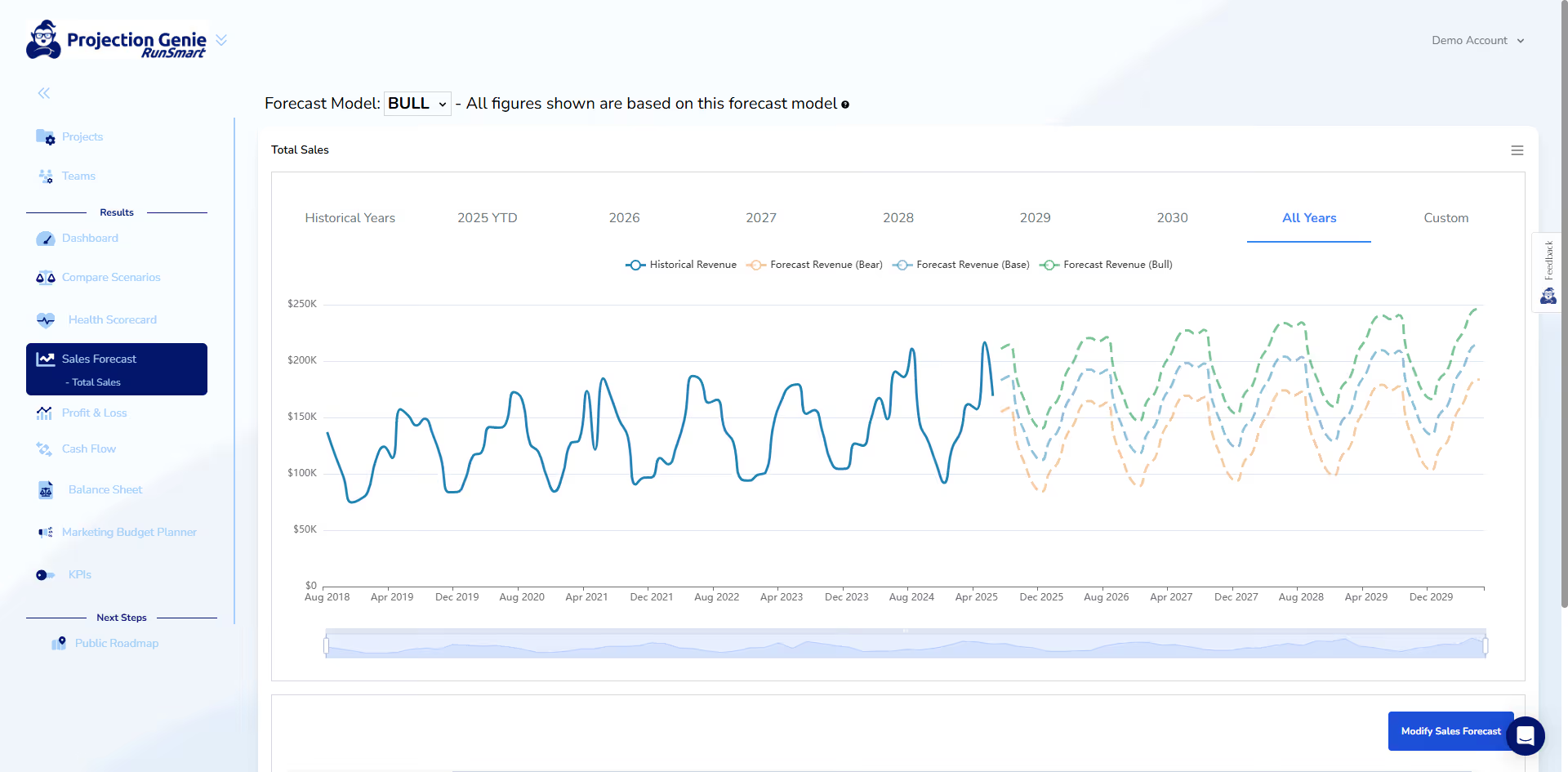
Knowing your revenue and profit is important, but understanding the overall financial health of your business requires a much broader view. RunSmart automatically evaluates your QuickBooks financial data using 13 financial KPIs across profitability, liquidity, solvency, efficiency, and capitalization. Identify financial strengths, weaknesses, and emerging risks while projecting how your financial health may change over time, helping you recognize potential problems before they become more difficult to manage.
03.
See How Business Decisions May Affect Your Financial Future
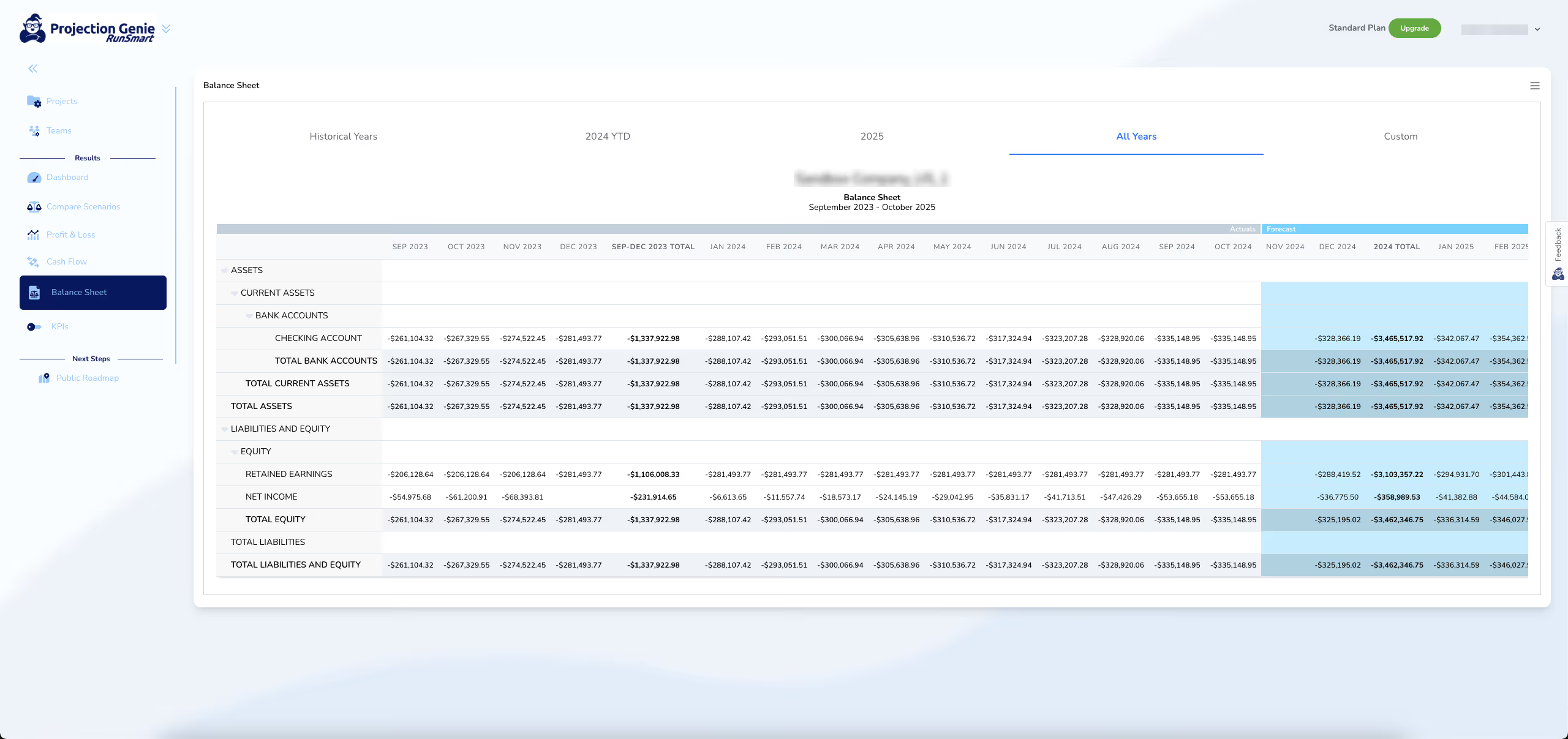
What happens if you hire additional employees, increase prices, reduce expenses, or pursue a more aggressive growth strategy? RunSmart's scenario analysis capabilities let you test different assumptions and automatically see how they may affect future revenue, expenses, profitability, cash flow, and overall financial health. Compare multiple scenarios side by side to understand the potential consequences of important decisions before committing to them.
04.
Turn Financial Forecasts Into Budgets You Can Track
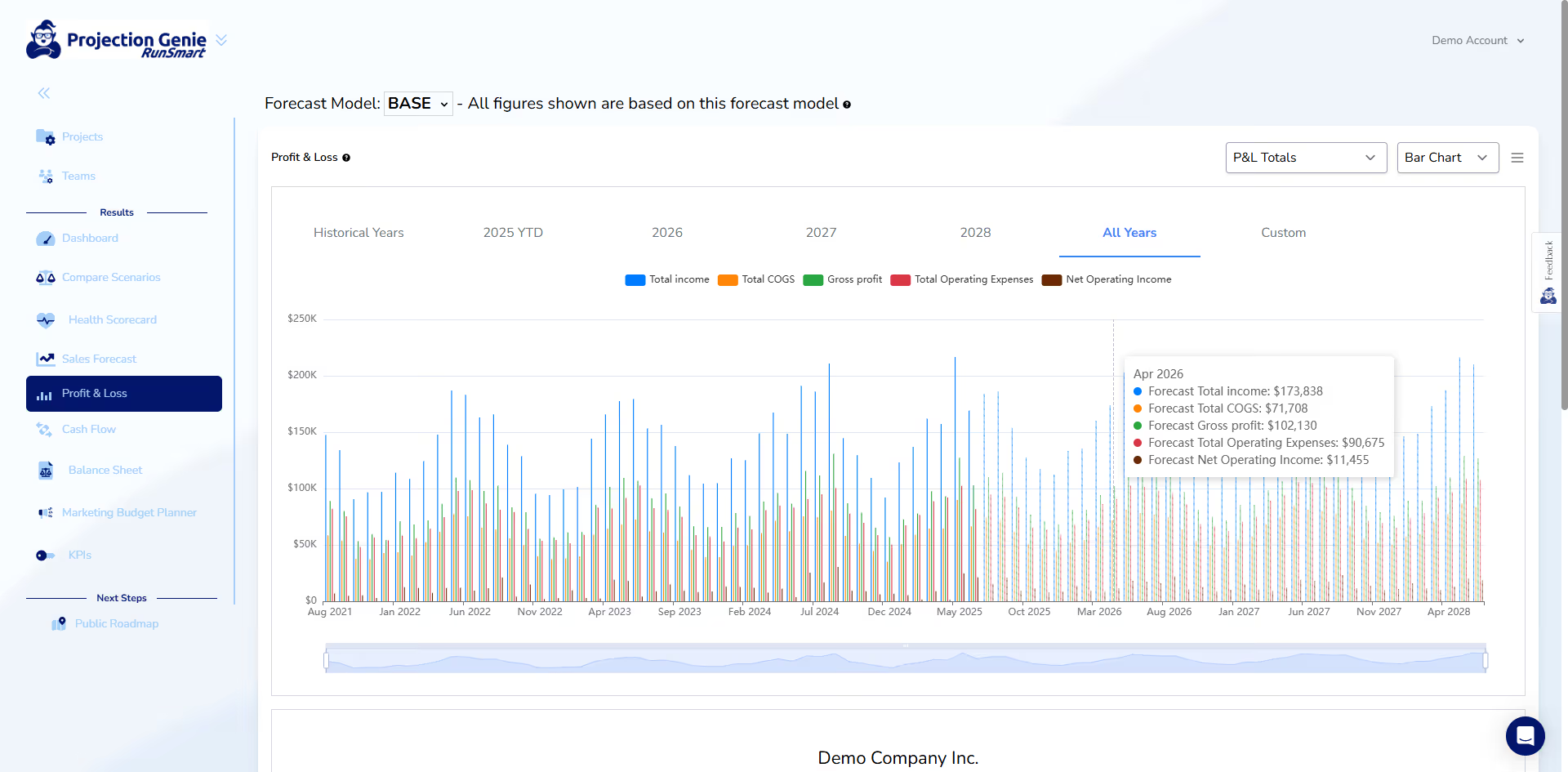
Financial planning doesn't stop once you've created a forecast. You also need to understand whether your business is performing according to plan. RunSmart lets you convert any financial scenario into a budget and automatically compare your actual QuickBooks results against it. Track budget-versus-actual performance across your income statement, balance sheet, and cash flow statement, identify meaningful variances, and make adjustments as your business evolves.
05.
Turn Your Financial Forecast Into an Actionable Budget
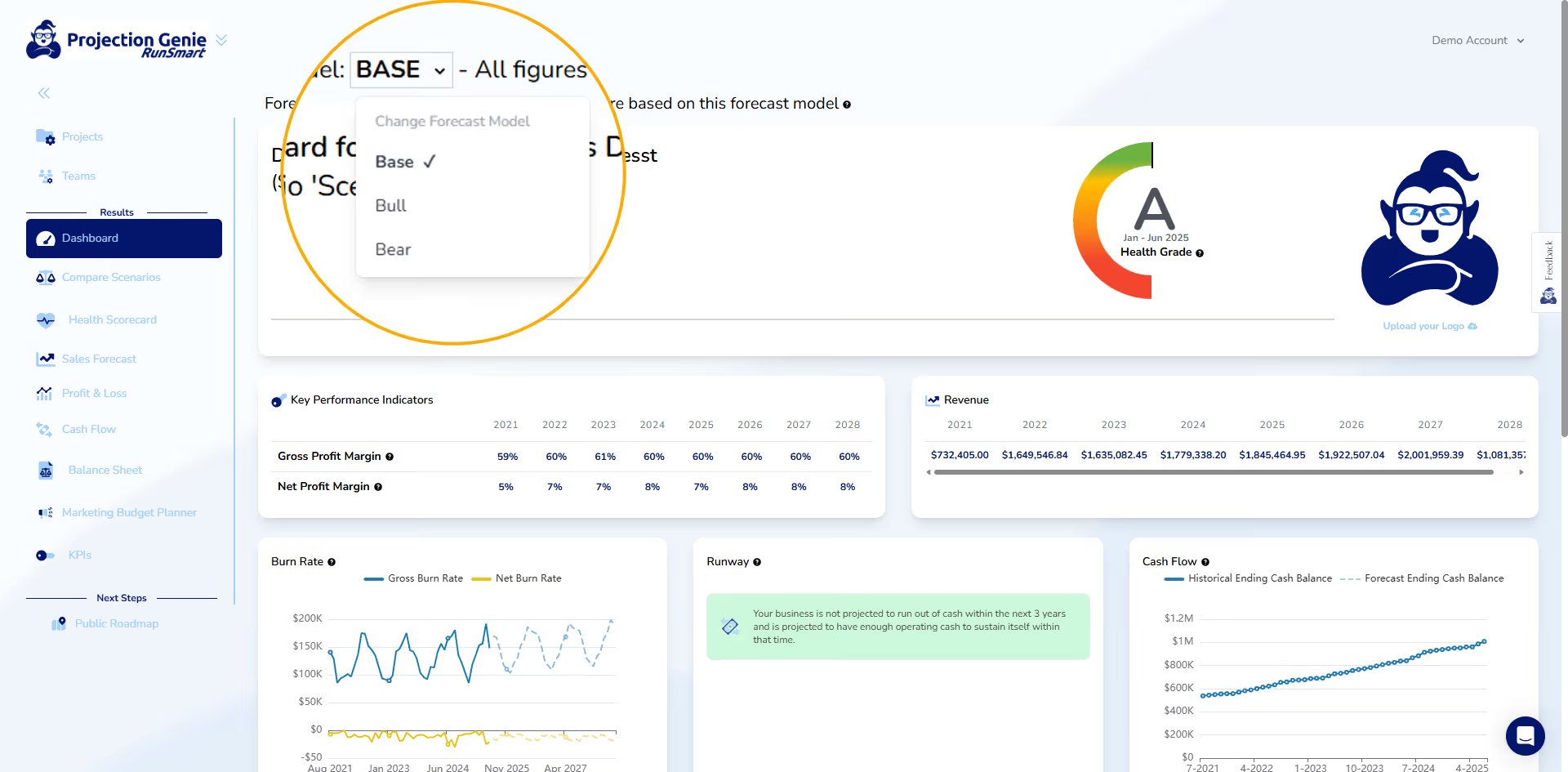
Turn your QuickBooks data into actionable financial reports without manually gathering statements, updating spreadsheets, or preparing the same analysis every month. RunSmart automatically generates monthly, quarterly, and annual financial reports that bring together historical performance, key financial metrics, financial health insights, budget performance, and forward-looking forecasts. For accountants and advisory firms, RunSmart also makes it easier to monitor financial performance and emerging risks across multiple QuickBooks clients from a centralized Portfolio View, helping you identify which businesses may need attention first.
RunSmart FAQs
Answers to common questions about how RunSmart works and what you can expect.
How do you compare against other financial planning & analysis (FP&A) software?
Many FP&A platforms are built for dedicated finance teams and require significant setup, configuration, and ongoing financial modeling. RunSmart is designed to give business owners powerful financial intelligence and planning capabilities without the complexity of traditional FP&A software.
Simply connect your QuickBooks account and RunSmart automatically analyzes your financial performance, generates forecasts and insights, monitors your financial health, tracks budgets, and produces professional reports without requiring you to build or maintain complicated financial models.
Do I need a strong background in finance or accounting to understand RunSmart's results?
No. RunSmart is designed to make complex financial information easier to understand, even if you don't have a background in finance or accounting.
Plain-language insights, helpful tooltips, and an extensive library of help articles explain financial concepts and results throughout the platform. RunSmart also includes an AI-powered chatbot that can answer questions and explain unfamiliar financial concepts in simple terms whenever you need additional help.
Does RunSmart use AI to perform financial analysis or generate forecasts?
No. RunSmart's financial analysis and forecasts are powered by custom-built statistical algorithms and deterministic financial logic—not generative AI.
This ensures consistent, repeatable financial calculations grounded in your actual business data rather than AI-generated interpretations or predictions.
What makes RunSmart’s forecasts more reliable than other tools?
Unlike financial planning tools that rely on fixed growth assumptions or manually maintained models, RunSmart uses advanced statistical forecasting algorithms to identify historical trends, seasonality, and patterns in your financial data.
RunSmart automatically evaluates multiple forecasting methods and selects the best-fitting model for each financial line item, delivering sophisticated, data-driven projections that automatically update as new financial information becomes available.
Can businesses with less than 2 years of history use RunSmart?
Yes.
Businesses with less than 24 consecutive months of QuickBooks Online history can use RunSmart's Standard or Premium plans to analyze historical financial performance, monitor key financial and subscription metrics, assess financial health, compare performance against industry benchmarks, and access reporting capabilities depending on their plan.
Standard plan users can begin analyzing their financial and subscription data without a minimum 24-month history requirement. Since Standard focuses on historical analysis and does not include forecasting, businesses can continue using this plan regardless of how much historical data they accumulate.
Premium plan users can also get started with less than 24 months of history. Once 24 consecutive months of QuickBooks data become available, RunSmart automatically enables 12-month financial forecasting, allowing businesses to project future revenue, expenses, cash flow, and profitability. Additional planning and reporting capabilities are available based on the plan's features.
Pro plan users must have at least 24 consecutive months of QuickBooks history before using RunSmart. Pro is designed for businesses requiring advanced financial planning, including 5-year forecasts, scenario analysis, budgeting, workforce planning, portfolio intelligence, and collaboration tools.
RunSmart requires 24 months of historical data for forecasting so its statistical models can better identify financial trends and seasonal patterns. Generally, more historical data helps produce more reliable forecasts.
Does RunSmart support consolidations or class tracking for budgeting?
No. RunSmart currently supports financial forecasting and planning for individual business entities. It does not support consolidating multiple companies into a single financial model or budgeting by QuickBooks class.
You can manage multiple businesses as separate projects, with each company's financial information analyzed and forecasted independently.
Does RunSmart work without QuickBooks Online?
No. RunSmart requires a connection to QuickBooks Online, which is currently its only supported accounting platform. RunSmart automatically uses your QuickBooks financial data to generate forecasts, financial health insights, and reports without manual data entry.
Turn Your Business Data Into Predictive Financial Intelligence
Automatically transform your business data into financial forecasts, financial health insights, and early risk signals. Understand where your business is headed and make smarter decisions with confidence, without manually building financial models or analyzing spreadsheets.
