Home
Resources
Blog article
Latest Product Release - New features & updates! - Aug 2022
News
May 8, 2026

Latest Product Release - New features & updates! - Aug 2022

Latest Product Release - New features & updates! - Aug 2022
Table of Contents

A new major product release is here! We’ve spent the last 5 months diligently cranking out countless new features and updates based on all the feedback and suggestions we’ve received since going live back in February 2022. Our latest release is the biggest yet, so we wanted to provide a quick rundown of the 6 main features you’ll see when you log back into Projection Genie. With these new features and updates, you’ll be able to make better projections and planning decisions for your new business. If you're new to Projection Genie, visit our website to learn more.

UI Updates

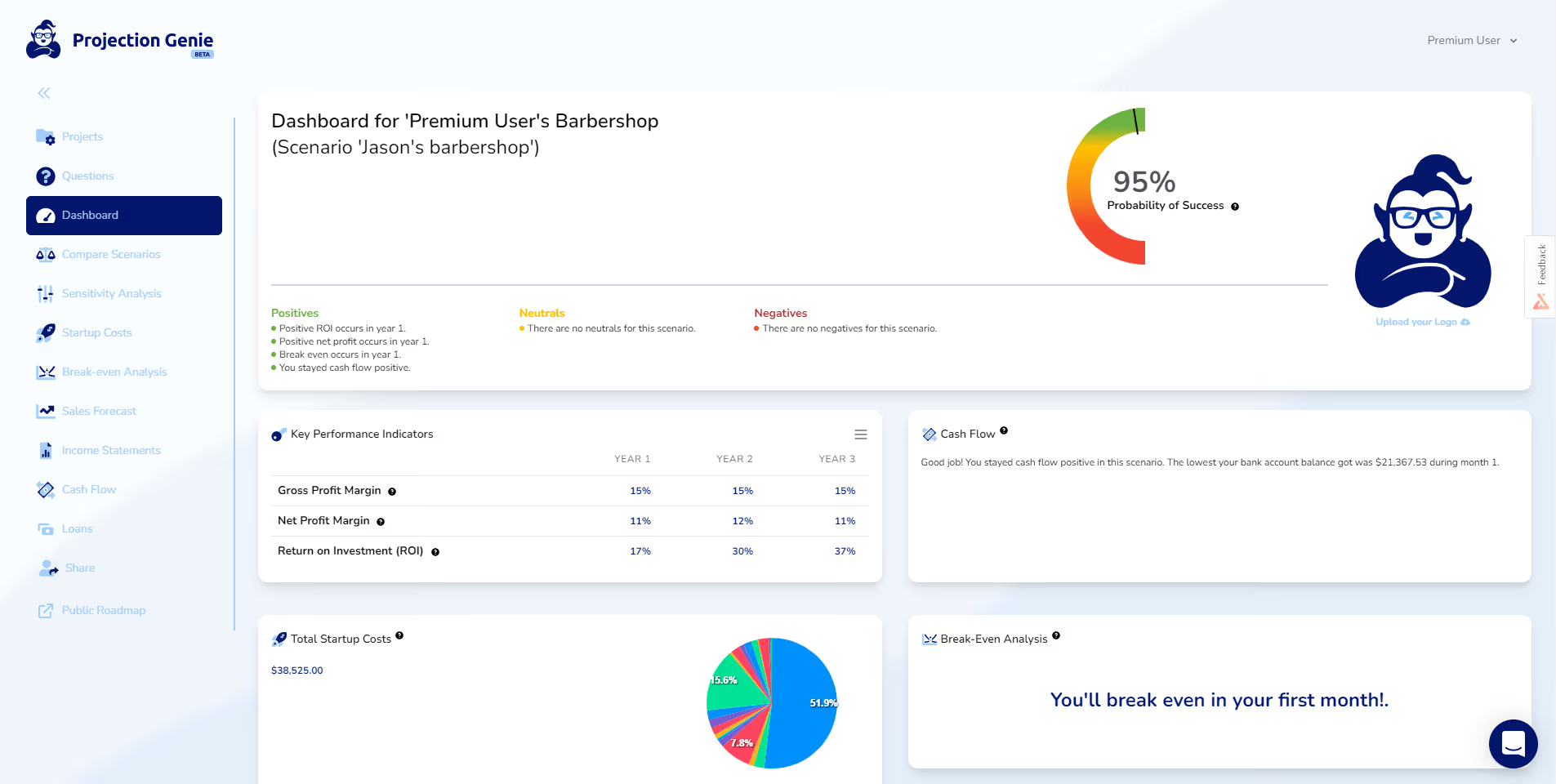
We’ve completely revamped our entire user interface to make it more visually appealing and less intimidating for everyone to use:
Loan Calculator & Amortization Feature

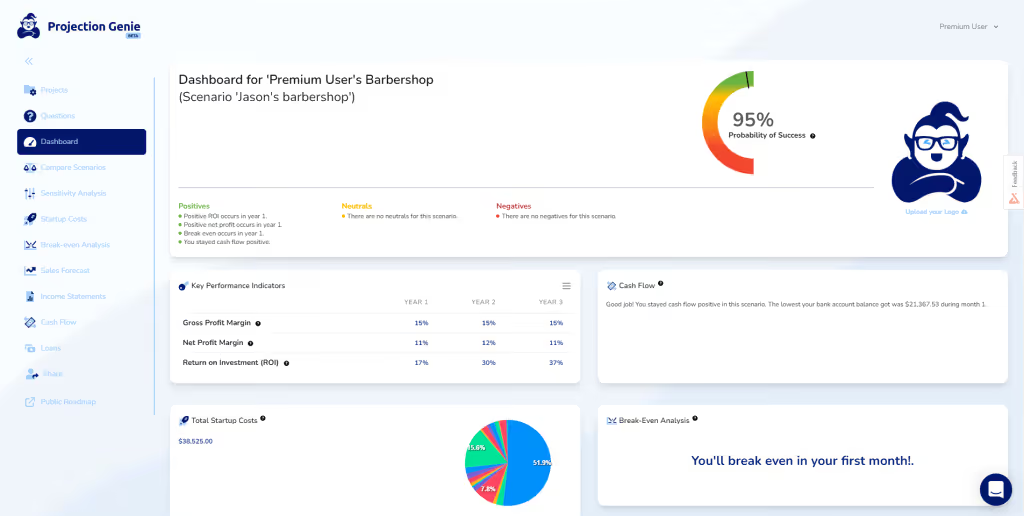
We’ve added loan calculator feature that allows you to quickly create and add loans to your projections. You’ll get to see the principal and interest payments for the life of the loan, the amortization schedule, monthly payment due, and choose when to apply the loan to your projections:
New Cashflow Chart

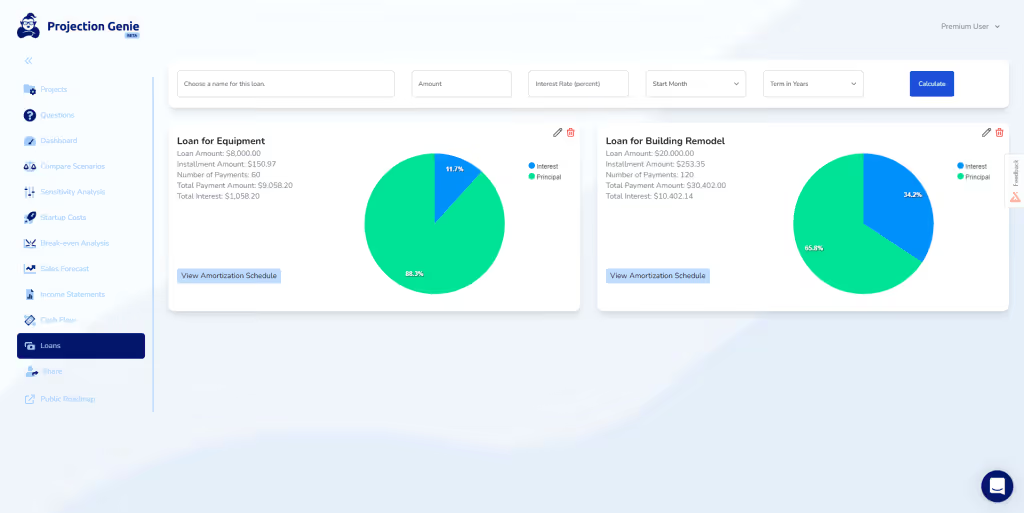
We’ve added an additional chart to help you better conceptualize your cash flow. The new combined bar & line chart allows you to see both cash coming in and out, their value relative to each other, and their effect on your cash balance:
Add Your Own Logo

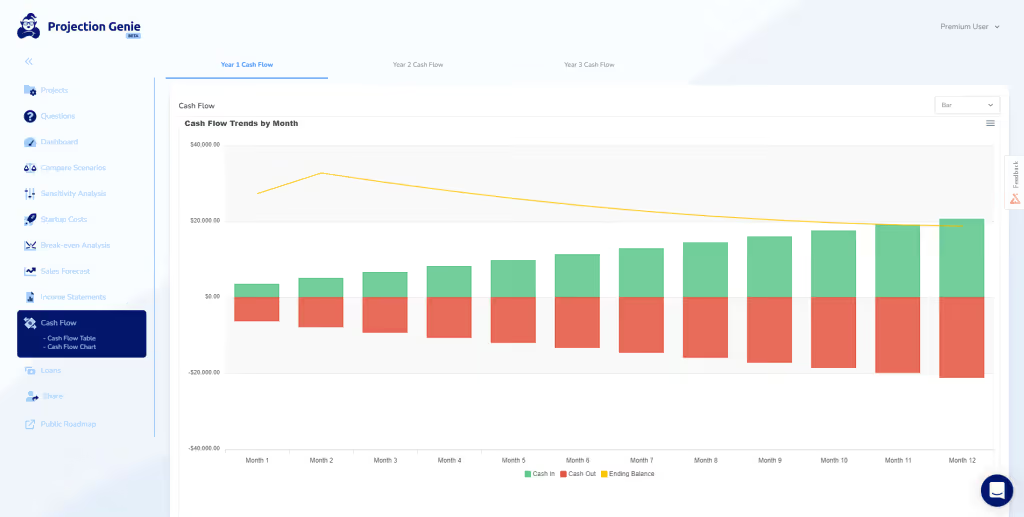
Premium plan users now have the ability to add their logo to their projections:

Share Your Results

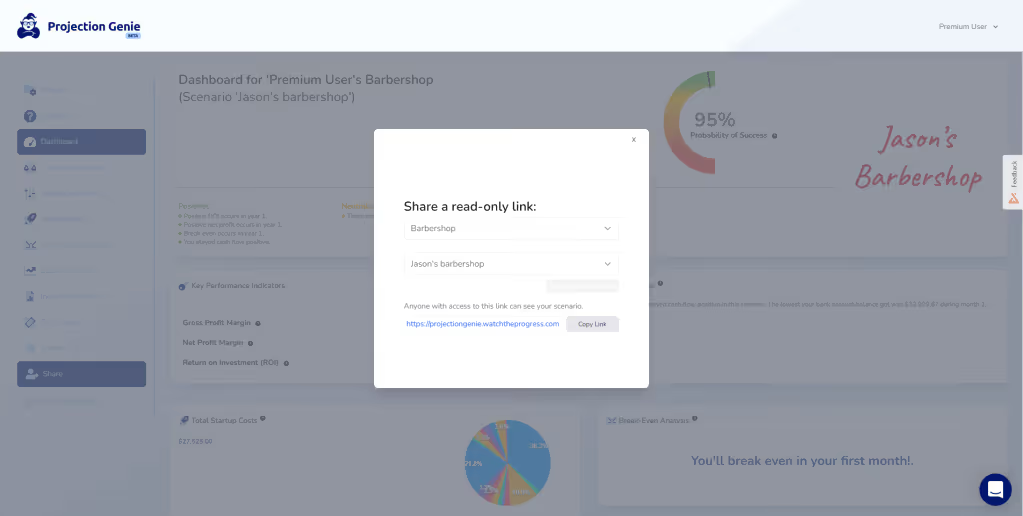
Users can now share their results via read-only links with anyone without the need for readers to log-in or create an account. Readers can only see your results and not the answers to your questions, nor can they make any changes. Stay tuned for a future release that will allow you to create teams and collaborate on your financial projections with others:
Public Roadmap

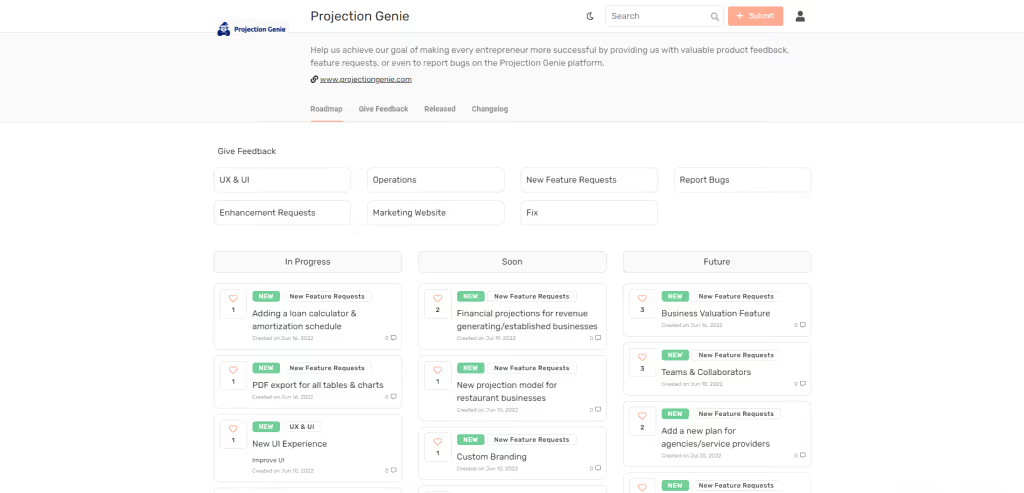
You can now see, comment, recommend, and influence new features that we’re working on or should work on next. If you have a feature suggestion, easily submit a request for us to consider. If you like a feature someone else has requested, give it a like and comment on it to help us determine what features and updates our customers care about the most. Visit our public roadmap:

How do you compare against other financial planning & analysis (FP&A) software?

RunSmart is built specifically for small business owners who need a clear understanding of where their business stands today and how decisions will shape what comes next. While many FP&A platforms emphasize dashboards and complex configuration, RunSmart focuses on turning your QuickBooks data into practical financial intelligence you can act on.

It continuously analyzes historical performance, highlights meaningful financial shifts, and provides a clear view of your current financial health across profitability, cash flow, and growth. At the same time, it generates forward-looking forecasts that help you evaluate the financial impact of hiring, pricing changes, borrowing, or expansion before committing capital.

The result is a platform designed to help you understand your business today, plan confidently for tomorrow, and make informed decisions without the overhead of traditional enterprise tools.

Do I need a strong background in finance to use RunSmart?

Not at all. RunSmart is designed to be easy to use. We handle all calculations and generate forecasts automatically so you don’t have to. That said, to deliver reliable results, your books need to be clean, up to date, and properly categorized every month. If you’re unsure about your bookkeeping quality, we recommend working with a professional bookkeeper first to get things in order.

What makes RunSmart’s forecasts more reliable than other tools?

RunSmart’s forecasts are built to support real business decisions, not just generate projections. Instead of relying on simplified assumptions, RunSmart uses advanced statistical models that account for seasonality, long term trends, and volatility in your historical QuickBooks data.

By continuously analyzing performance patterns and financial shifts, RunSmart produces rolling forecasts that reflect how your business actually behaves. The result is forward looking projections you can confidently use to evaluate hiring, pricing, borrowing, and growth decisions.

My small business has been operational for less than 2 years; can I still use RunSmart?

To ensure reliable forecasts, we require a minimum of 2 consecutive years of historical financial data in your QuickBooks Online account to use RunSmart. Anything less than 2 years does not provide enough data to identify seasonal patterns or trends effectively.

Does RunSmart support consolidations or class tracking for budgeting?

No. RunSmart is intentionally designed for single-entity businesses and does not support consolidating multiple companies or budgeting by class.

In many small businesses, consolidating financial data or budgeting across multiple classes can make it harder to clearly identify where issues are developing. RunSmart focuses on analyzing each business independently so trends, risks, and performance changes are easier to detect and address.

These types of consolidation and class-level budgeting tools are typically designed for large finance teams managing complex corporate structures. RunSmart instead prioritizes clear forecasts, financial diagnostics, and decision insights that small business owners and advisors can quickly understand and act on—without the added complexity of enterprise finance features.

I don’t use QuickBooks Online for my small business. Can I still use RunSmart?

At this time, we currently only support an integration with QuickBooks Online.

No items found.

Main CTA Banner ut labore et dolore?

Fuga facilisis ipsa deserunt occaecat. via aspernatur vestibulum vita velit 20+ nihil blandit est ultrices expedita elit eleifend sunt sit elit inventore.

Get started